User Manual — Qonecta Unit CORE v1.1.0 (Illustrated)
Step-by-step visual guide with real screenshots: head-unit installation (Vivaldi + /go + USB), wireless 5 GHz or USB Android Auto & Apple CarPlay, full settings, and private diagnostics.
🔍 Tap any screenshot to view fullscreen
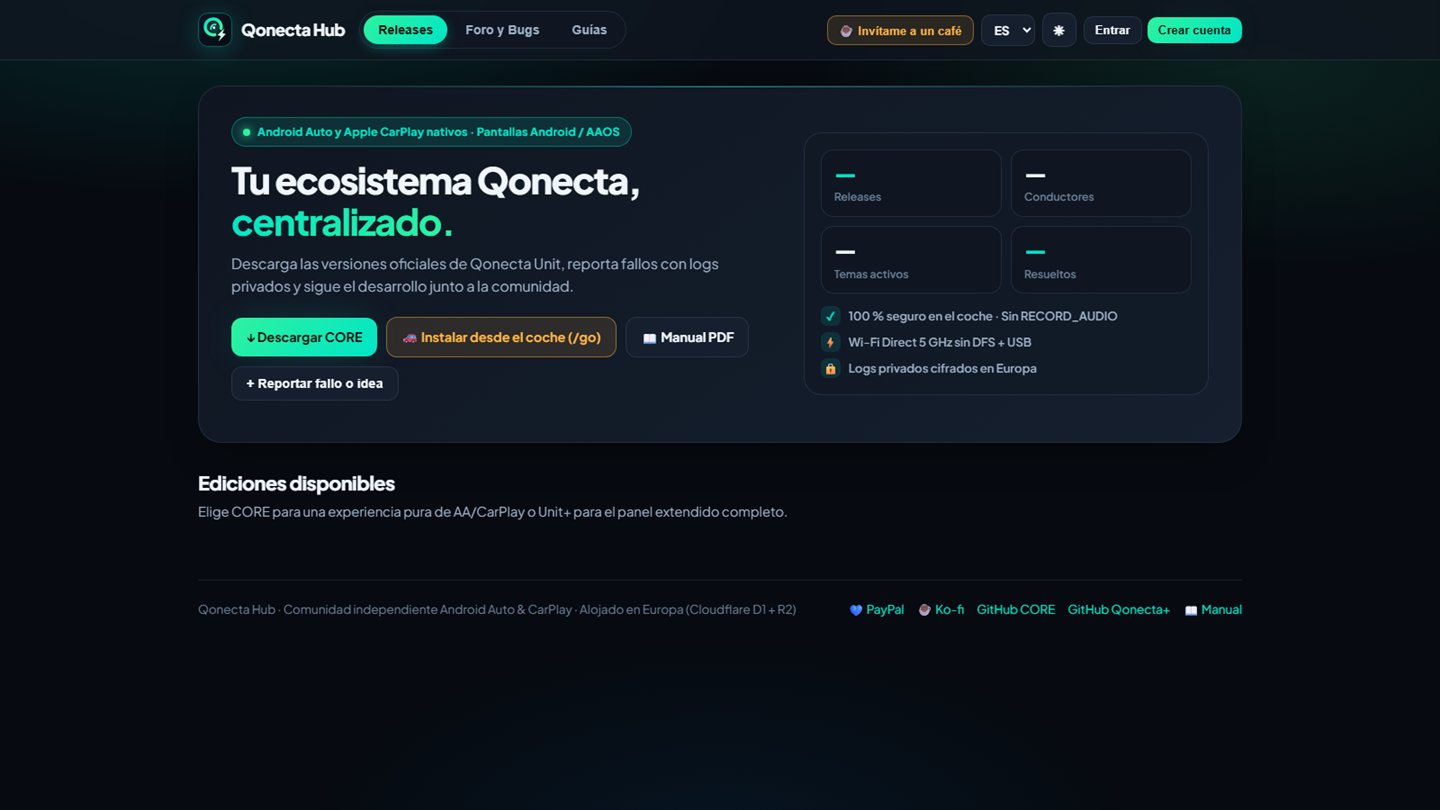
1. Qonecta Ecosystem & Official Download from Qonecta Hub
- Open https://qonecta.app on your PC or phone and download the official signed QonectaUnit_1.1.0-core.apk.
- Copy the .APK file to the root of a FAT32 or exFAT USB flash drive.
- Ecosystem: CORE runs natively on your car head unit (Android Auto + Apple CarPlay); Qonecta+ installs only on your Android phone (QDLink); Unit+ Extended adds the live EV side rail & Companion bridge.
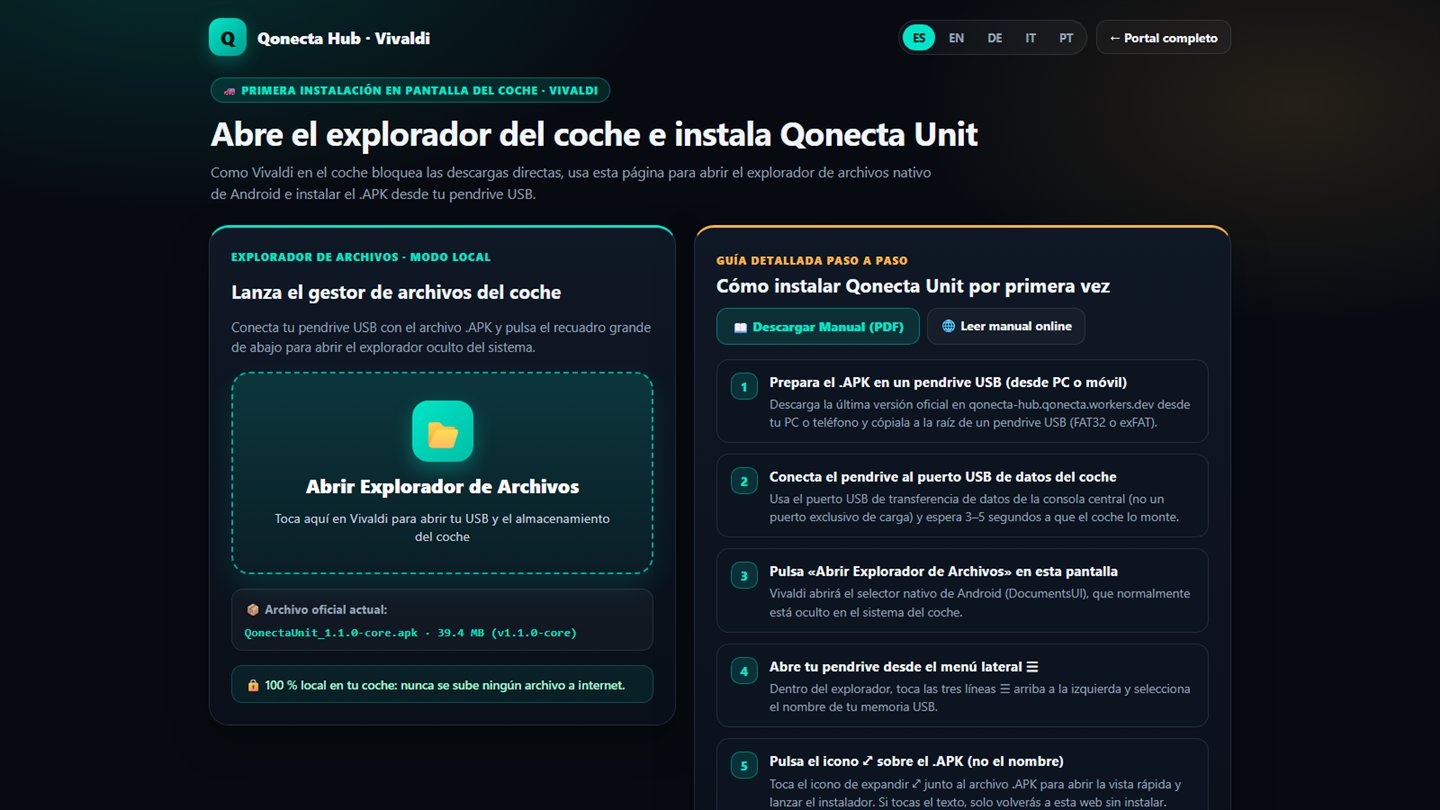
2. First-Time Installation in the Car (Vivaldi + /go + USB)
- Plug your USB stick into the center-console data USB port (not a charge-only port) and wait 3–5 seconds.
- Open Vivaldi on the car display and go to https://qonecta.app/go.
- Tap the large «Open File Explorer» box to launch Android's native file manager (DocumentsUI) 100% locally.
- Open the ☰ sidebar, select your USB drive, and tap the expand ⤢ icon next to QonectaUnit_1.1.0-core.apk (not the filename text).
- Enable «Allow from this source» if prompted and confirm Install. Grant Bluetooth / Nearby Devices and Location on first launch (required for 5 GHz Wi-Fi Direct).
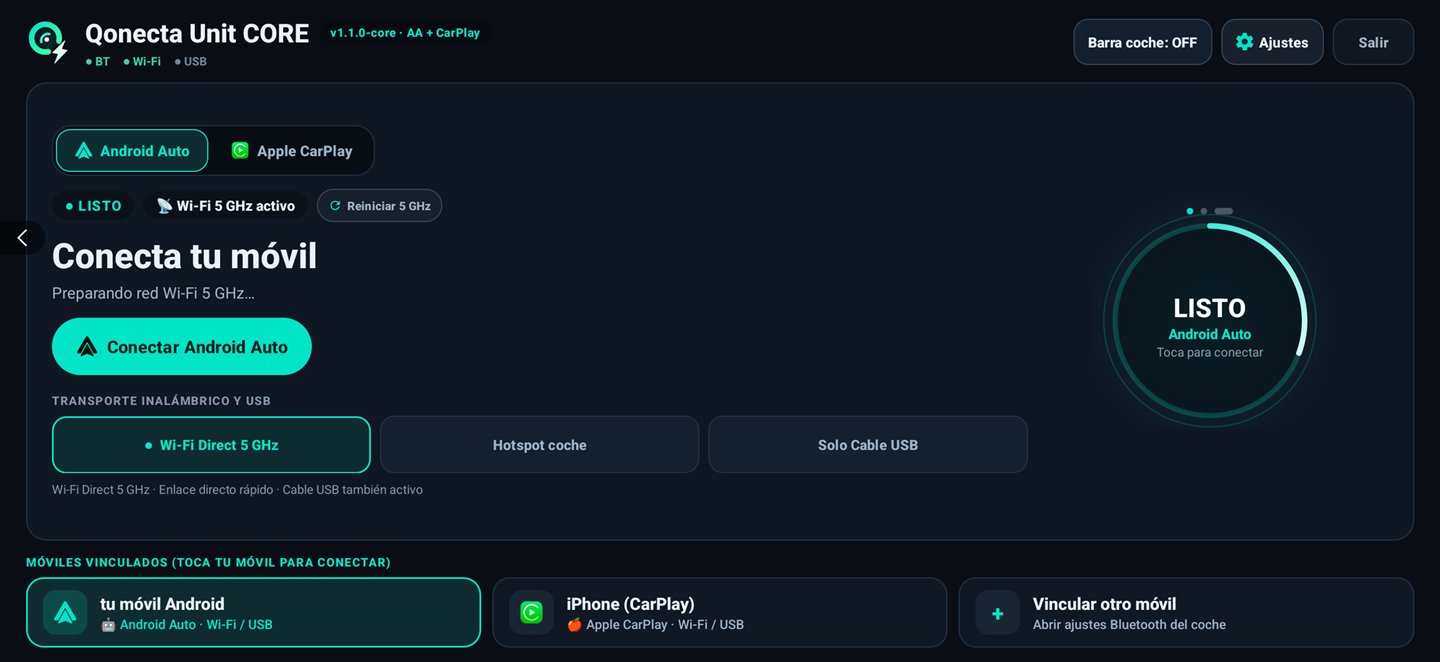
3. Unified Cockpit Home · Connect Android Auto (5 GHz, Hotspot, or USB)
- The top header shows live BT · Wi-Fi · USB badges and a 1-tap «Car Bar: ON/OFF» toggle synced across Android Auto and CarPlay.
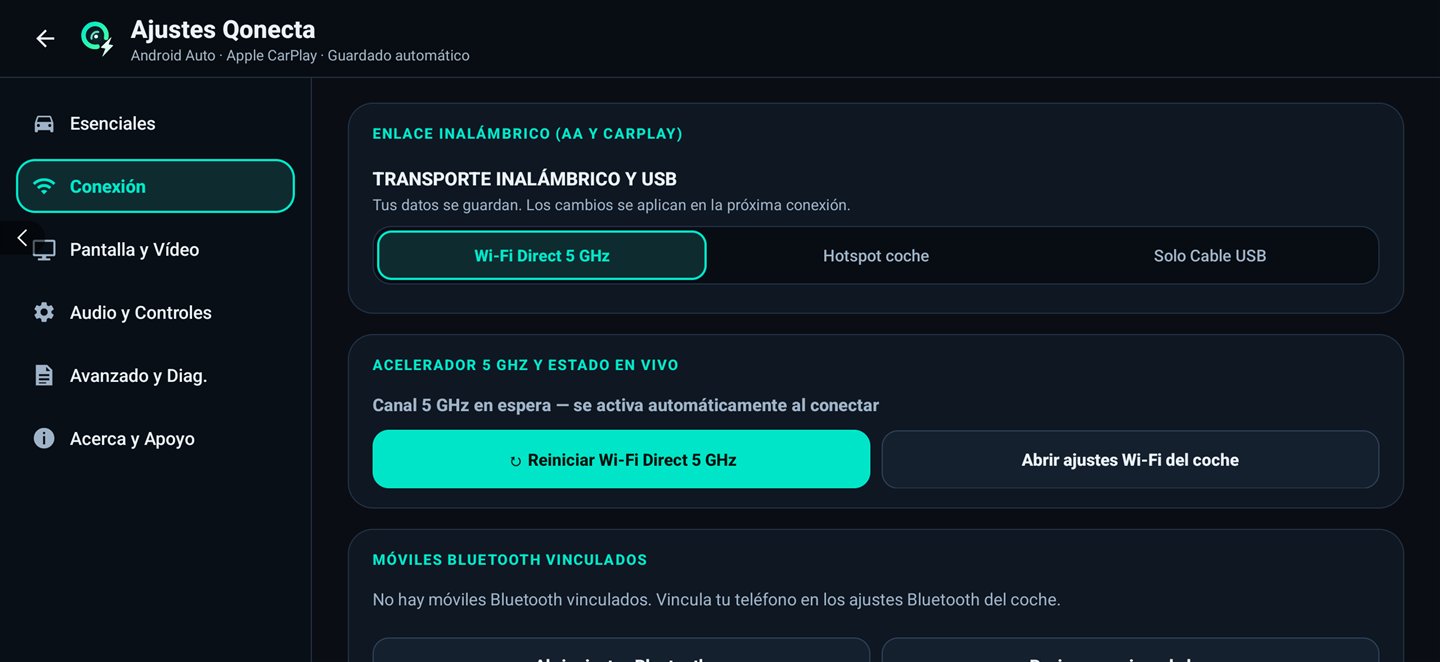
- Non-DFS 5 GHz Wi-Fi Direct (recommended): pair your phone via Bluetooth with the car, keep car Wi-Fi ON, select «Wi-Fi Direct 5 GHz», and tap your phone in the bottom dock.
- The app remembers the last clean 5 GHz channel (UNII-1/UNII-3). Tap «↻ Restart 5 GHz» if the network ever stalls.
- USB Cable: plug a data cable into the car's main USB port for wired projection + charging.
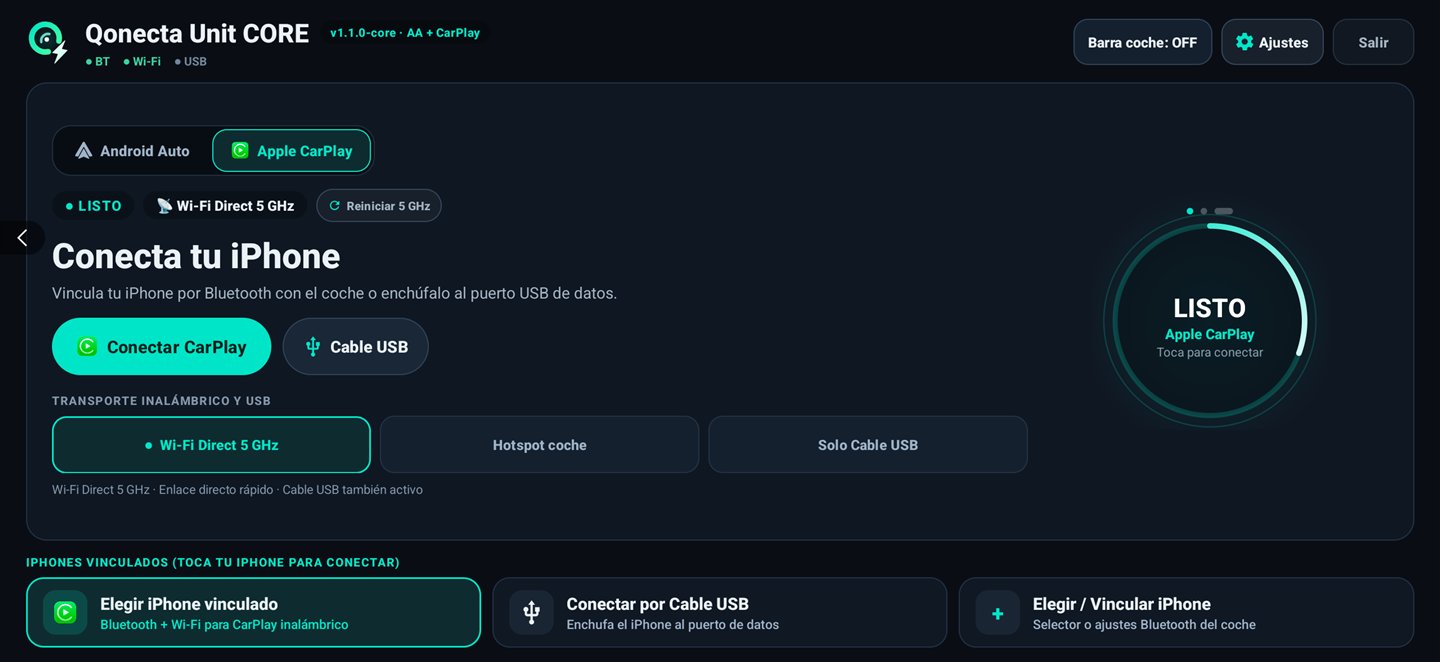
4. Connect Apple CarPlay (Wireless 5 GHz or USB Cable)
- Switch to «Apple CarPlay» in the top switcher — same clean cockpit UI and synchronized controls.
- Wireless: pair your iPhone via Bluetooth with the car, keep Wi-Fi & Bluetooth enabled, tap your iPhone in the dock, and confirm «Use CarPlay».
- USB Cable: plug into the data USB port, unlock iPhone, tap Trust, and accept Android's strictly local USB VPN prompt (no internet traffic). Swipe down with 3 fingers inside CarPlay for quick settings.
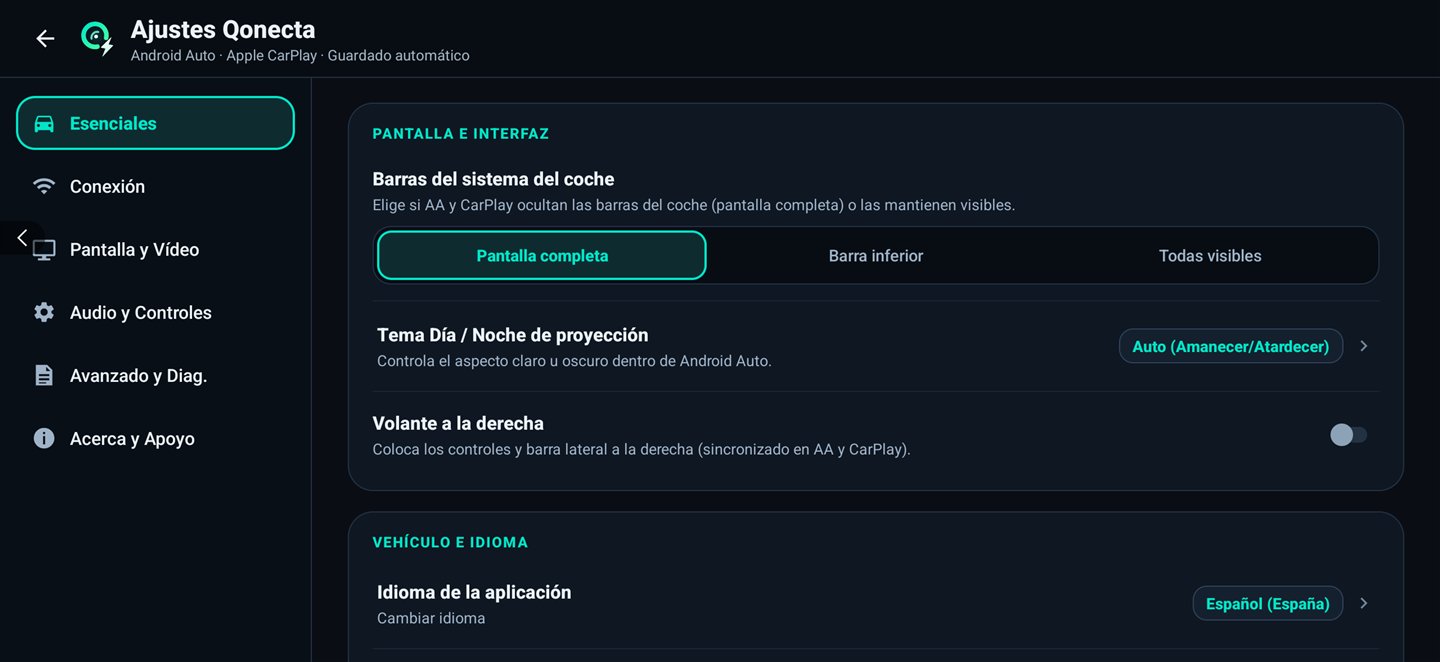
5. Qonecta Settings · Essentials & 5 GHz Connection
- Tap ⚙ Settings in the header — every change saves automatically.
- Essentials: car bar visibility (Fullscreen, Bottom bar, All visible), automatic Day/Night by sunrise/sunset, right-hand drive (RHD), and language.
- Connection: switch transport (5 GHz Wi-Fi Direct, Hotspot, USB only), restart 5 GHz in 1 tap, and jump straight to system Wi-Fi/Bluetooth.
6. Qonecta Settings · Display, Video & Visual DPI Picker
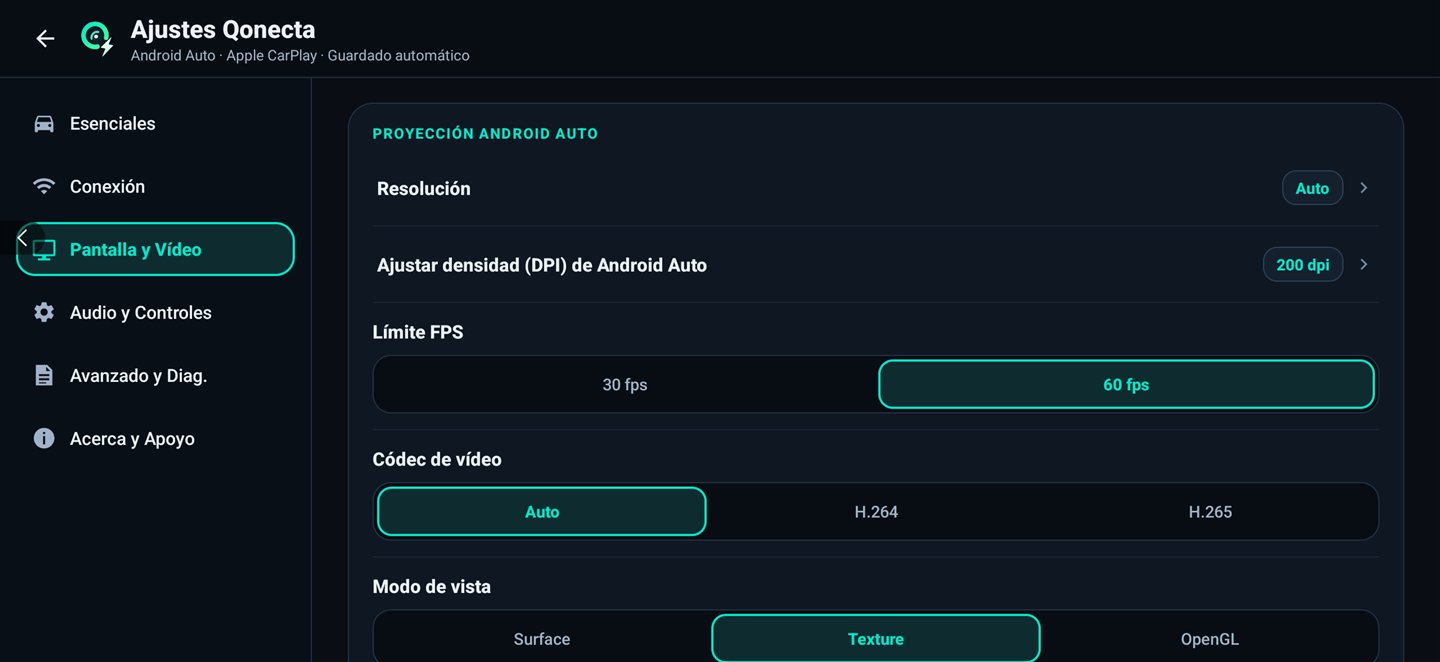
- Display & Video: Auto resolution, 60 FPS cap, H.264/H.265 codec, and Texture renderer for smooth projection.
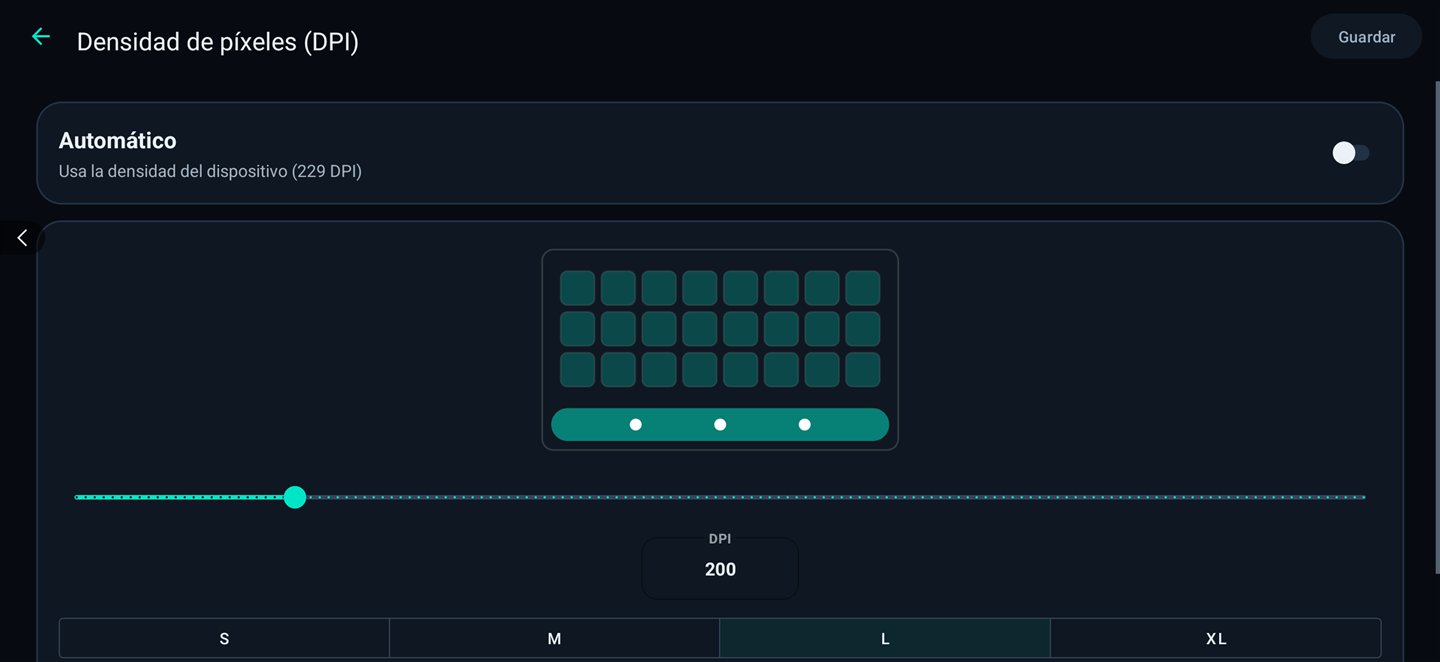
- Visual DPI Picker: live interactive icon preview (S · M · L · XL or slider; 200 DPI recommended on Leapmotor C10).
7. Audio, Private Diagnostics & About
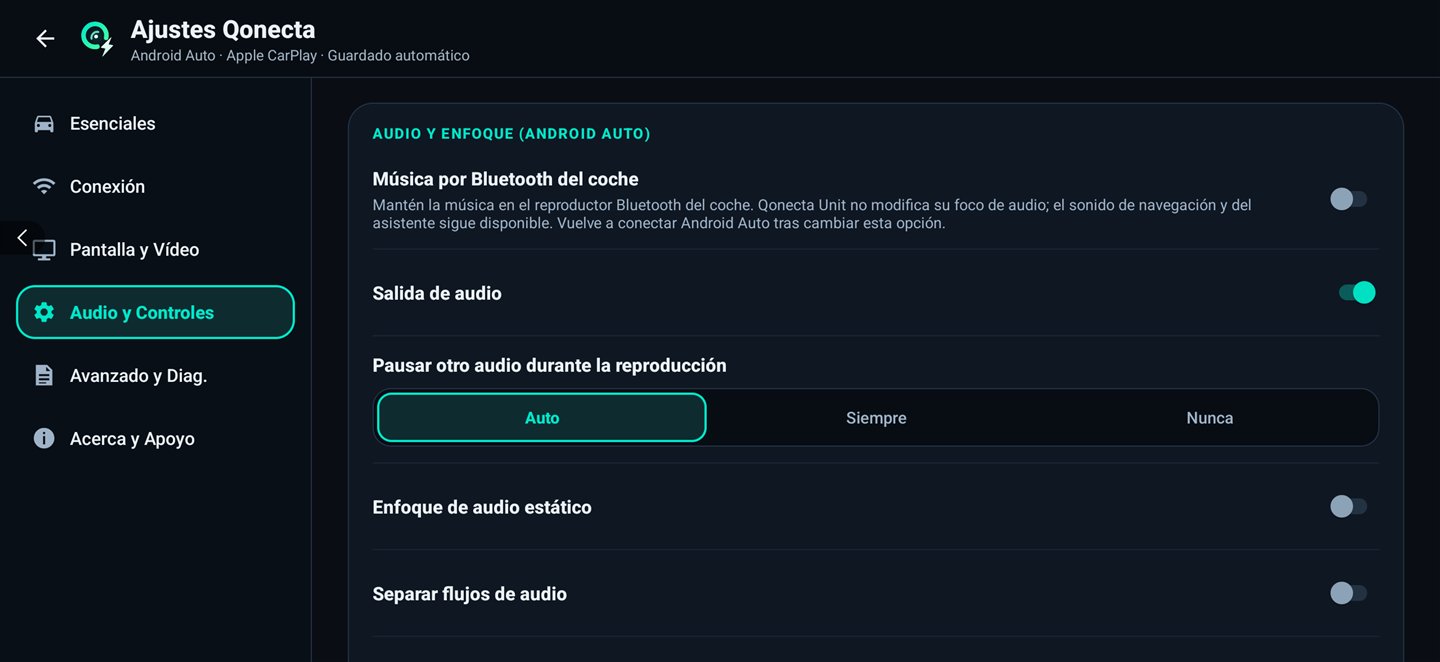
- Audio & Controls: smart audio focus (Auto / Always / Never), car Bluetooth music routing, and steering-wheel keymap. Zero microphone permission (RECORD_AUDIO).
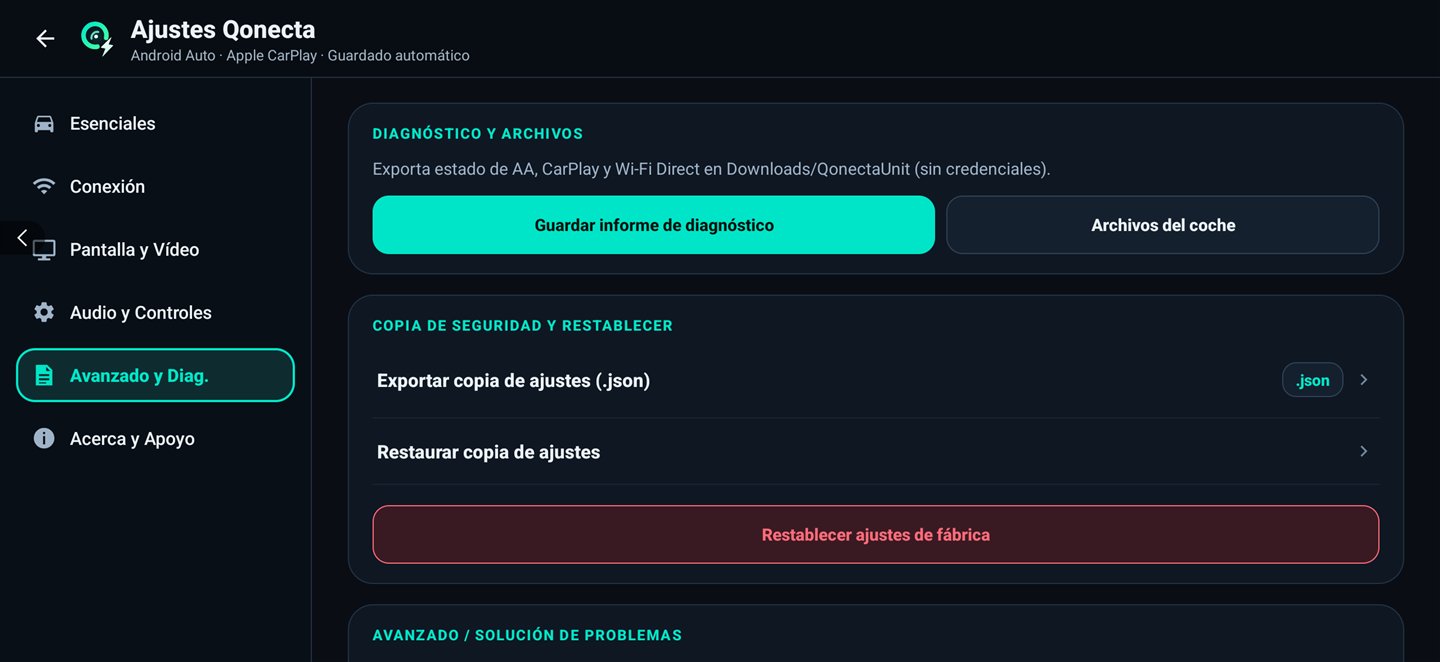
- Advanced & Diagnostics: export redacted diagnostic reports (no passwords) to Downloads/QonectaUnit/, back up .json settings, or open Car Files.
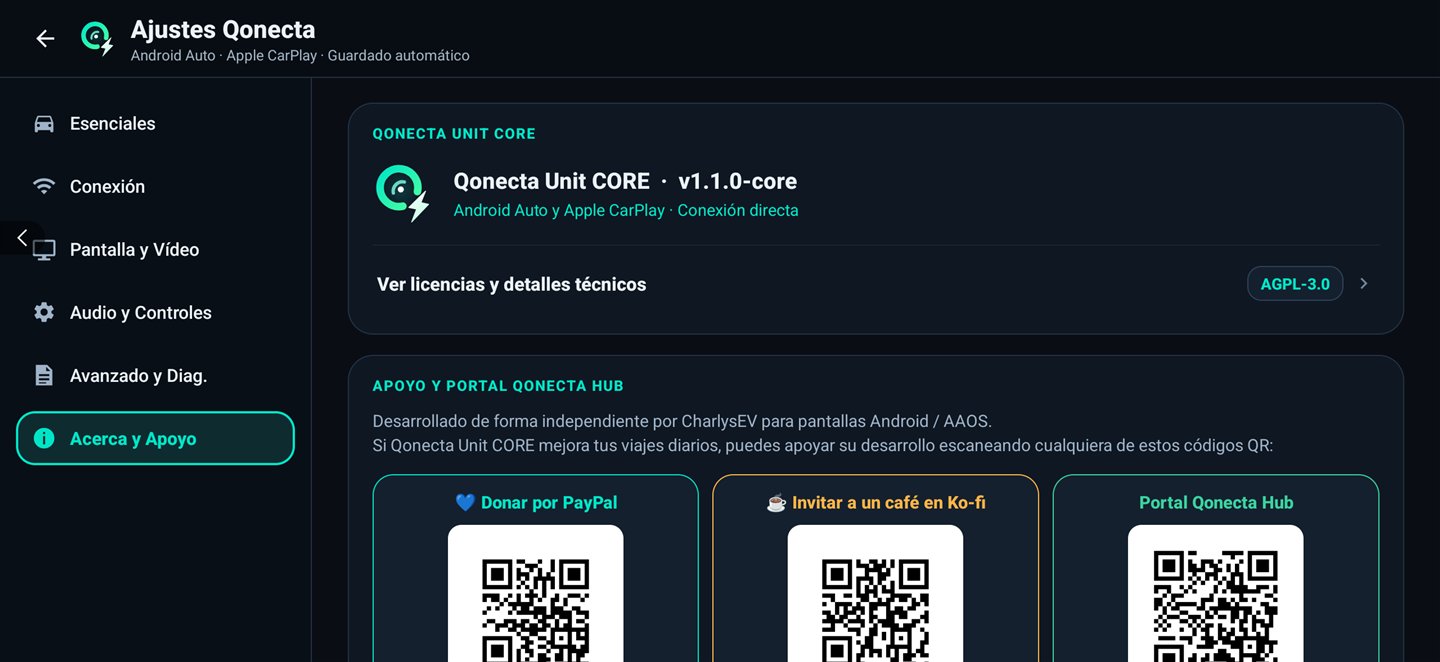
- About & Support: version info (v1.1.0-core), AGPL-3.0 licenses, and direct QR codes for PayPal, Ko-fi, and Qonecta Hub.
Qonecta (Qonecta Unit CORE, Qonecta Unit+ Extended, Qonecta Companion, and Qonecta+) is an independent, free, open-source, experimental community project. It is NOT affiliated with, sponsored, authorized, or endorsed in any way by Leapmotor, Stellantis, Google, or Apple. This software is provided "AS IS" without warranty of any kind; the author and contributors accept no liability for any damage, malfunction, or warranty impact arising from its installation or use. Every user installs and uses it at their own discretion and sole risk.