User Manual — Qonecta Unit+ Extended & Companion (Illustrated)
Visual step-by-step guide with 17 real emulator screenshots: customizable sidebar color, 28 read-only EV telemetry probes, clean EV route planner (zero demo routes), floating EV overlay over Android Auto, and Qonecta Companion bridge (PIN + QR).
🔍 Tap any screenshot to view fullscreen
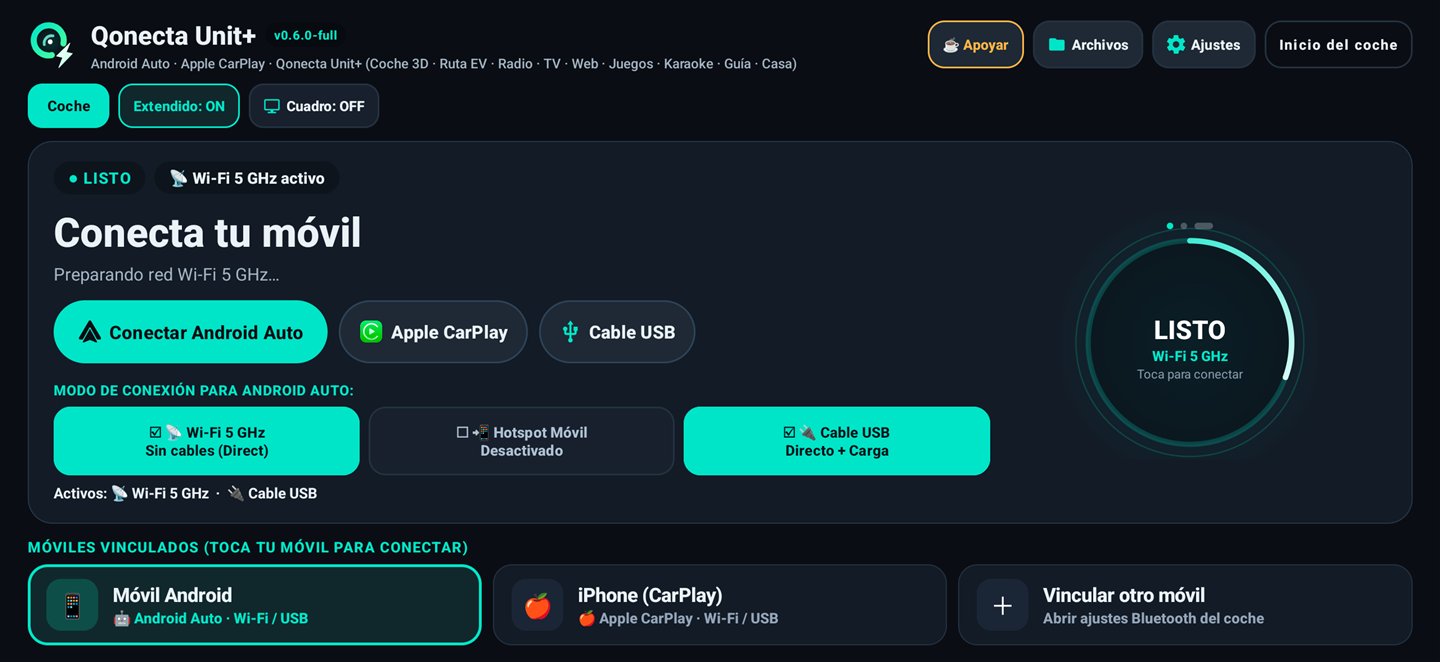
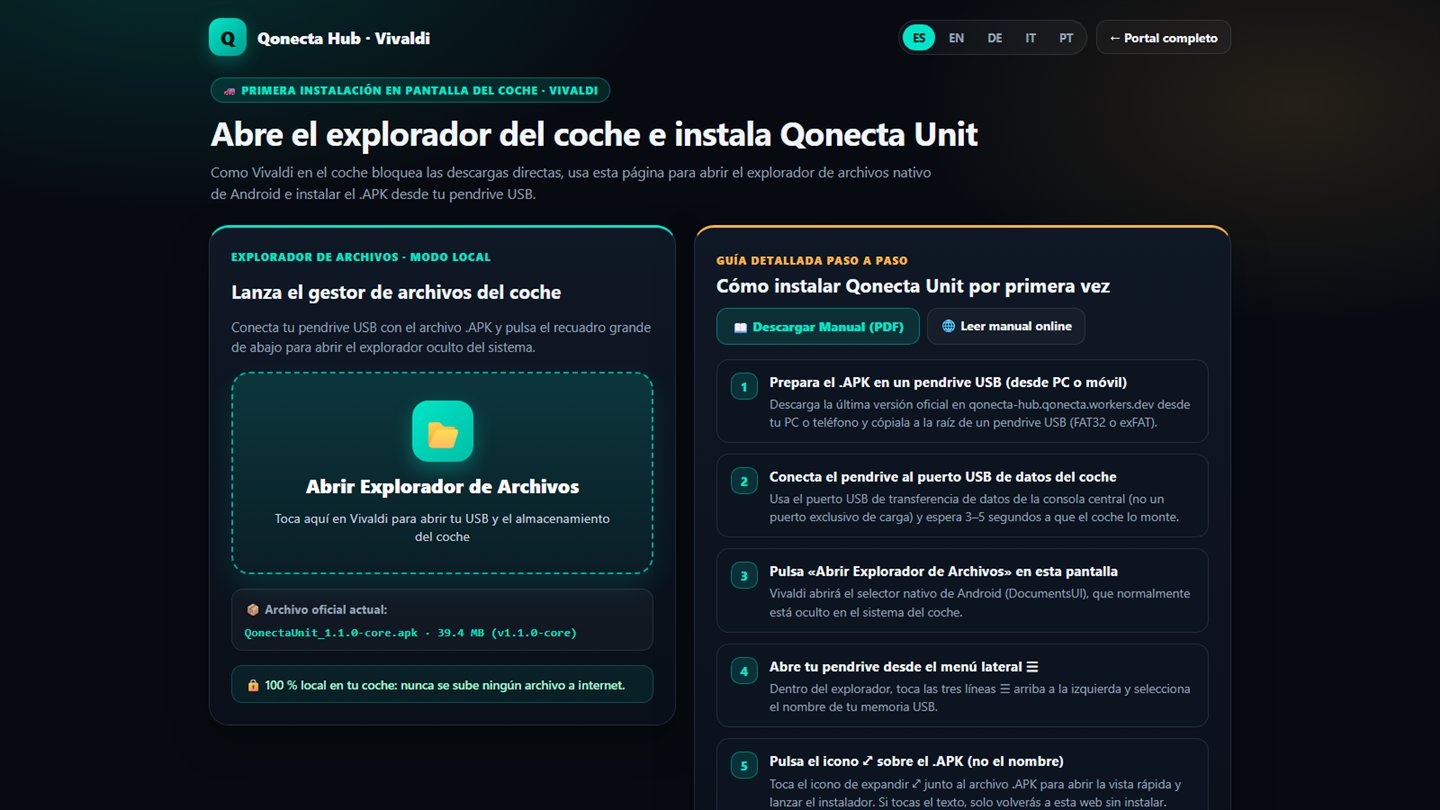
1. Unit+ Extended Home & Car Installation
- Install from USB via https://qonecta.app/go in Vivaldi (tap ⤢ on the .APK).
- Launch Android Auto, Apple CarPlay, or tap the green «Car» button to open the full Unit+ cockpit without connecting a phone.
- «Extended: ON» keeps the customizable driver sidebar docked alongside Android Auto with 1-tap 50/50 split-screen.
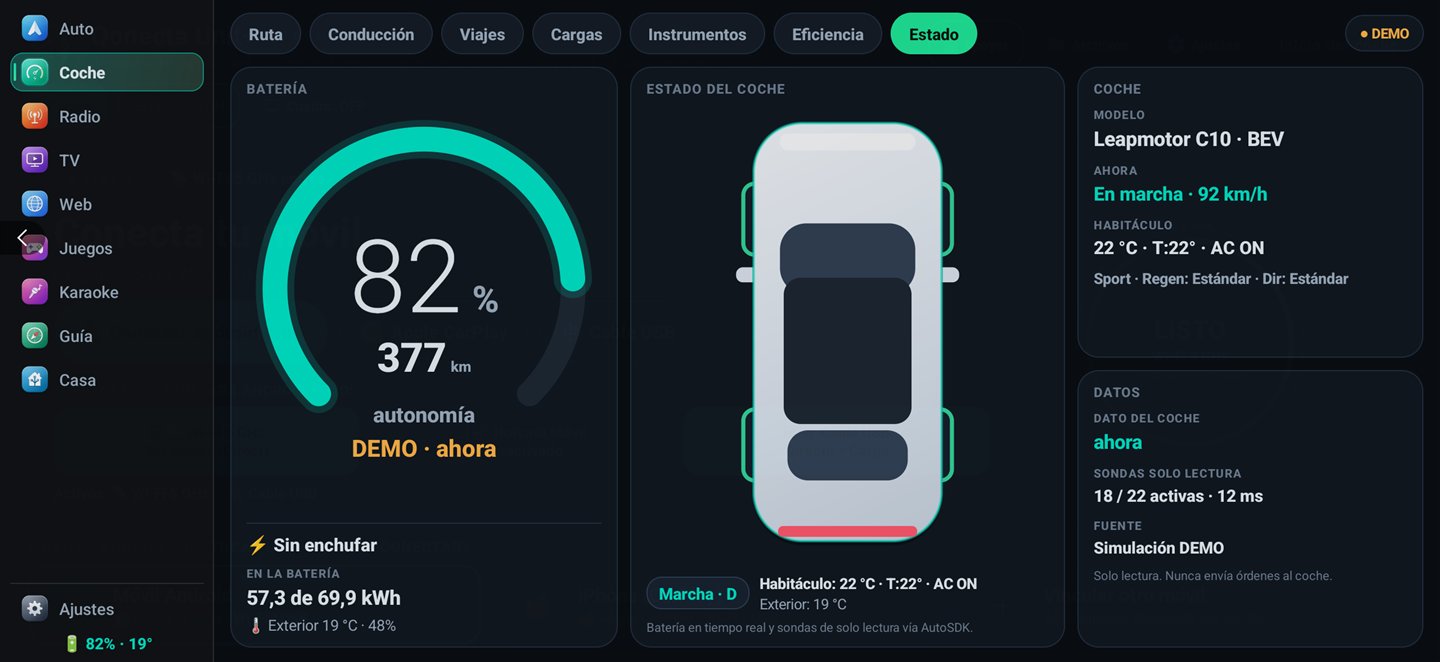
2. Car › Status · 28 Read-Only Green Probes
- Live battery ring (% SoC & real kWh), range, plug/charging state, gear, tri-zone HVAC + AC ON/OFF, humidity, and drive/regen/steering modes.
- 100% read-only AutoSDK + hardware IMU/barometer probes. Pair Companion with Leapmotor Cloud to enrich the 3D C10 with doors, trunk, TPMS pressures, and odometer.
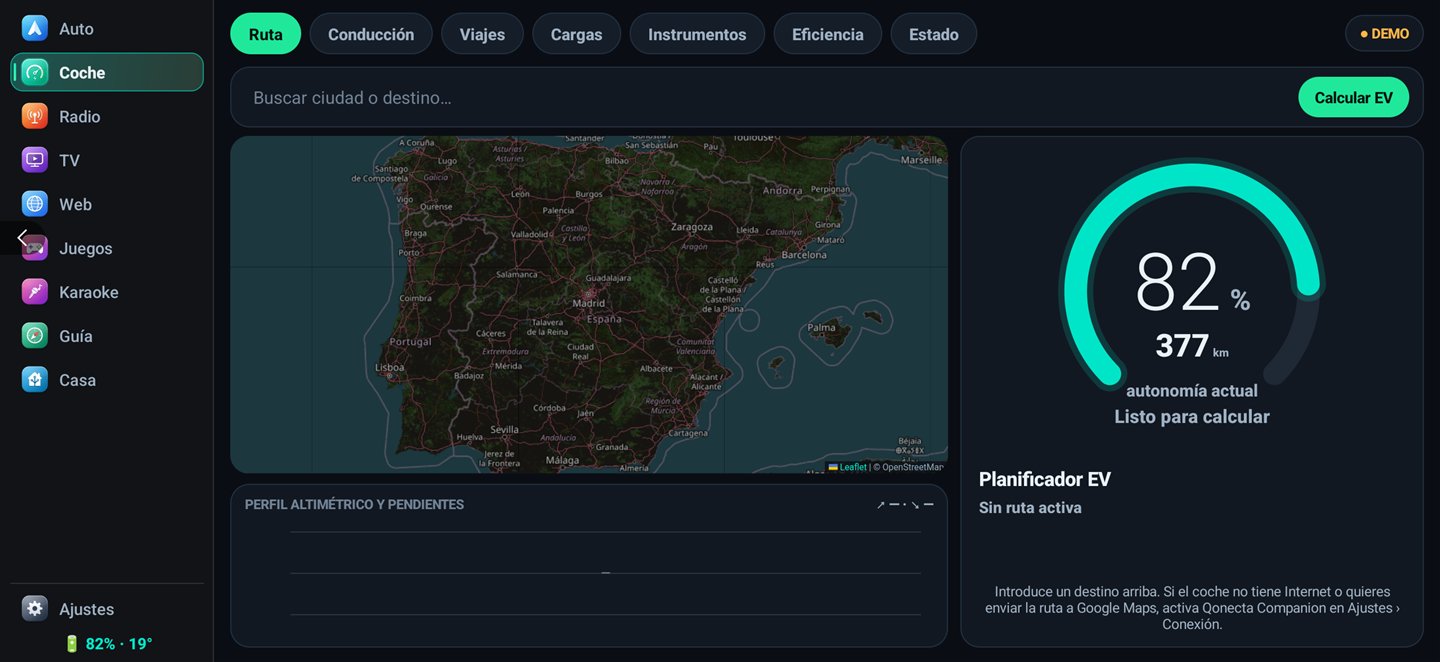
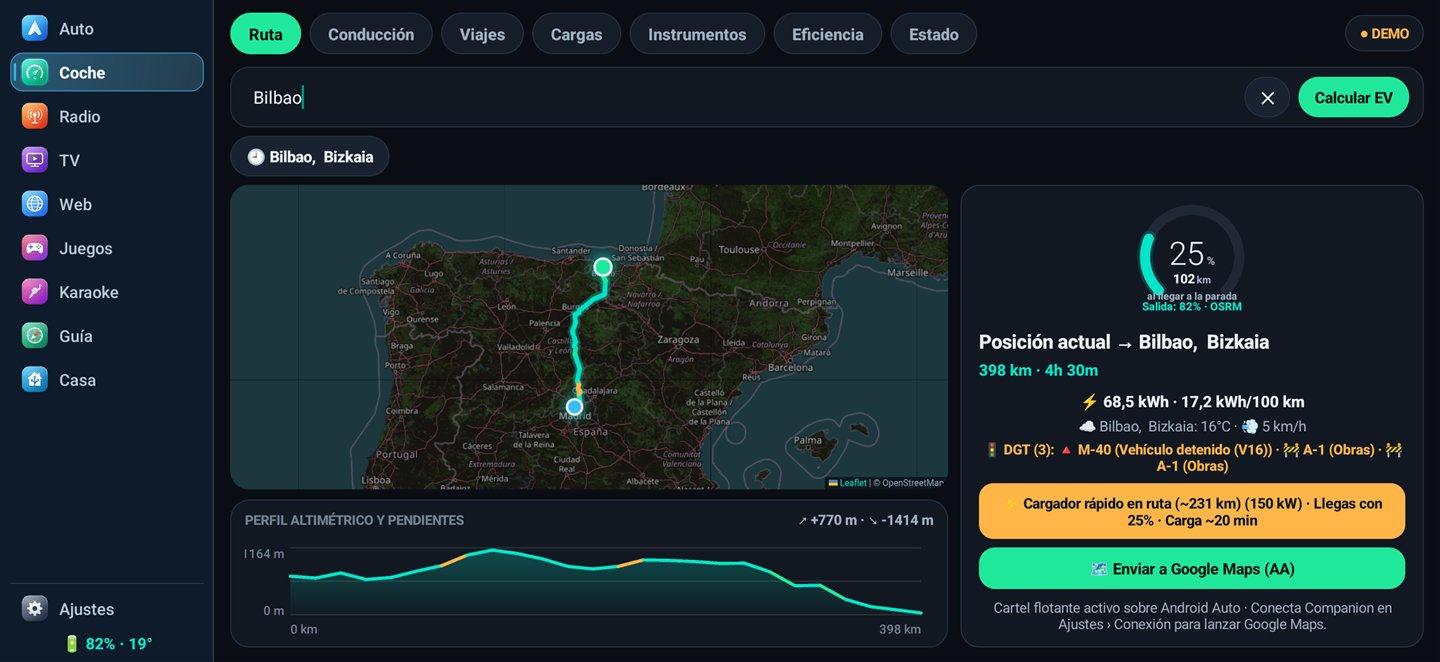
3. Car › Real EV Route Planner + Floating Overlay over Android Auto
- Always opens clean at your real GPS location (zero hardcoded demo routes) and remembers recent destinations.
- Search any city, address, coordinates, or Google Maps link — or share straight from Google Maps on your phone via Qonecta Companion.
- Automatically proxies internet over your phone's data through Companion when the car has no SIM.
- Computes real C10 elevation energy, destination weather, live traffic incidents, and optimal fast-charging stop with estimated arrival SoC %. Tap «Send to Google Maps (AA)» while the floating EV pill stays painted over AA.
4. Drive, Trips, Charges, Instruments & Efficiency
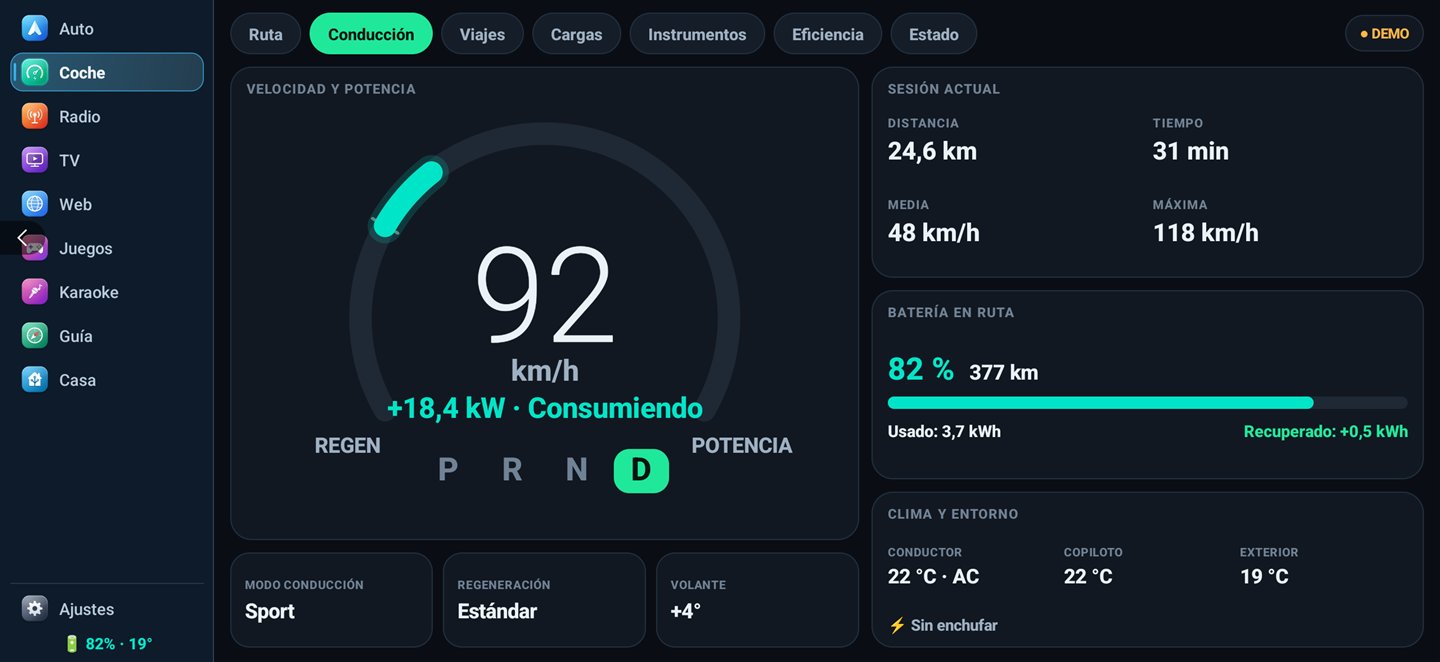
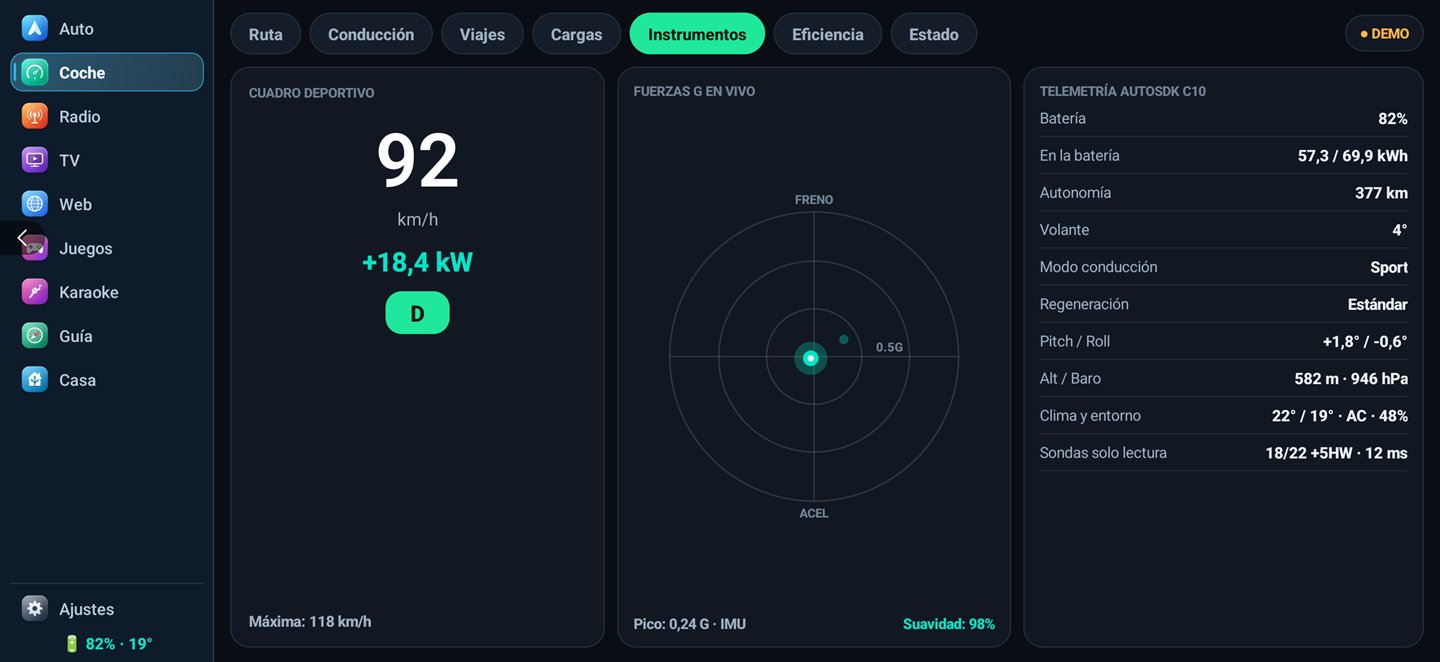
- Drive: live speedometer, power/regen kW meter, P/R/N/D gear, trip stats, and climate.
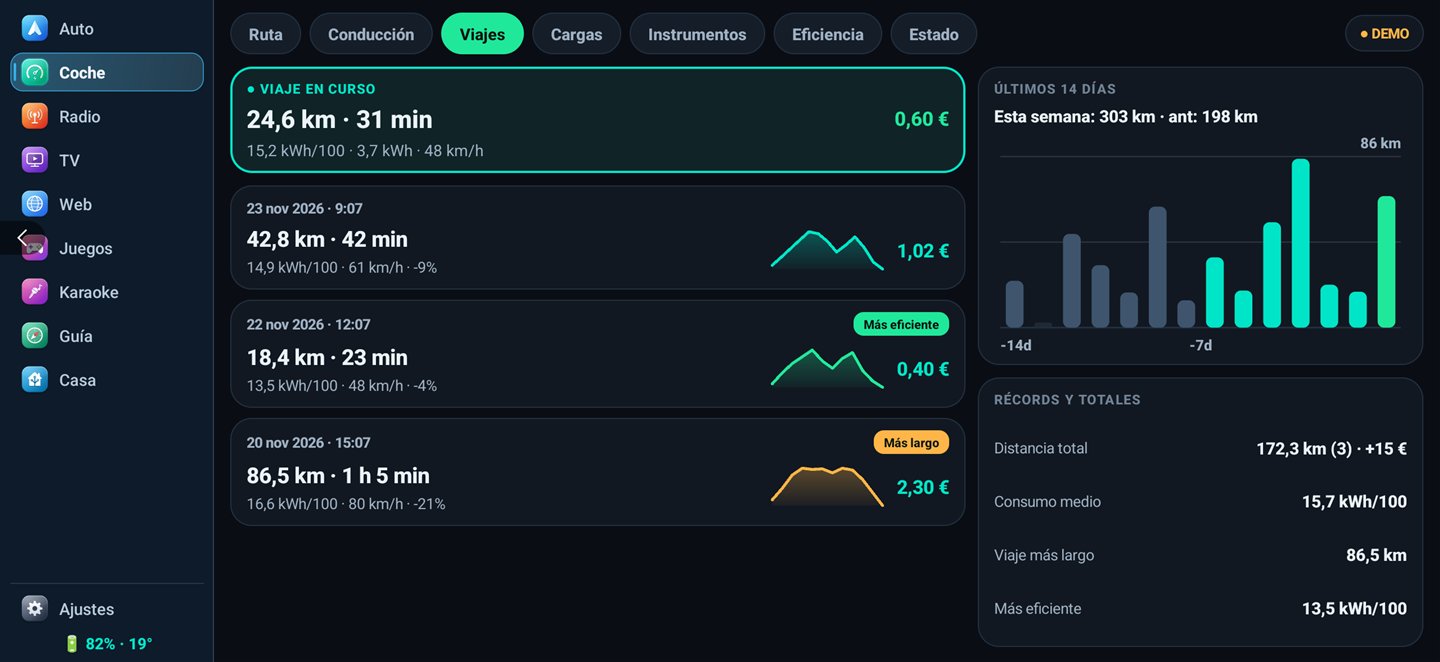
- Trips: 14-day history with sparklines, euro savings, records, and two-way Companion sync.
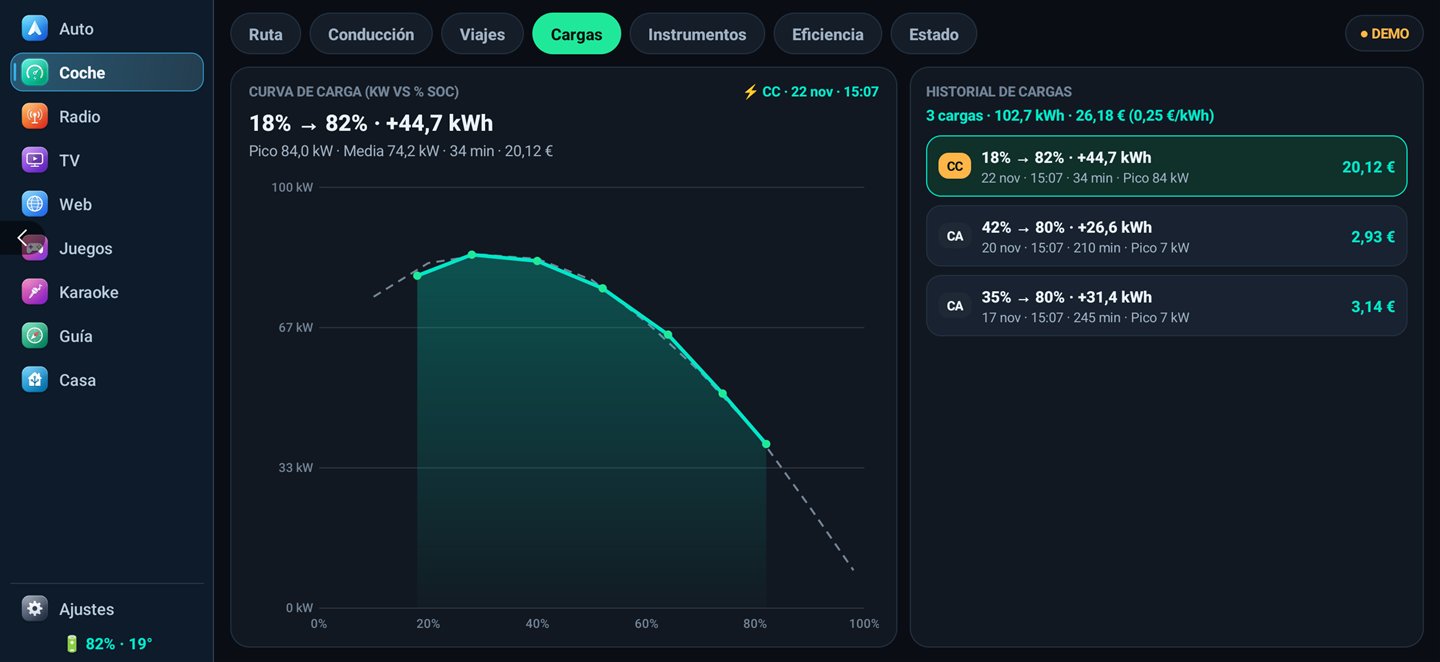
- Charges: automatic AC/DC detection plotting your real kW vs % SoC curve over the C10 reference curve.
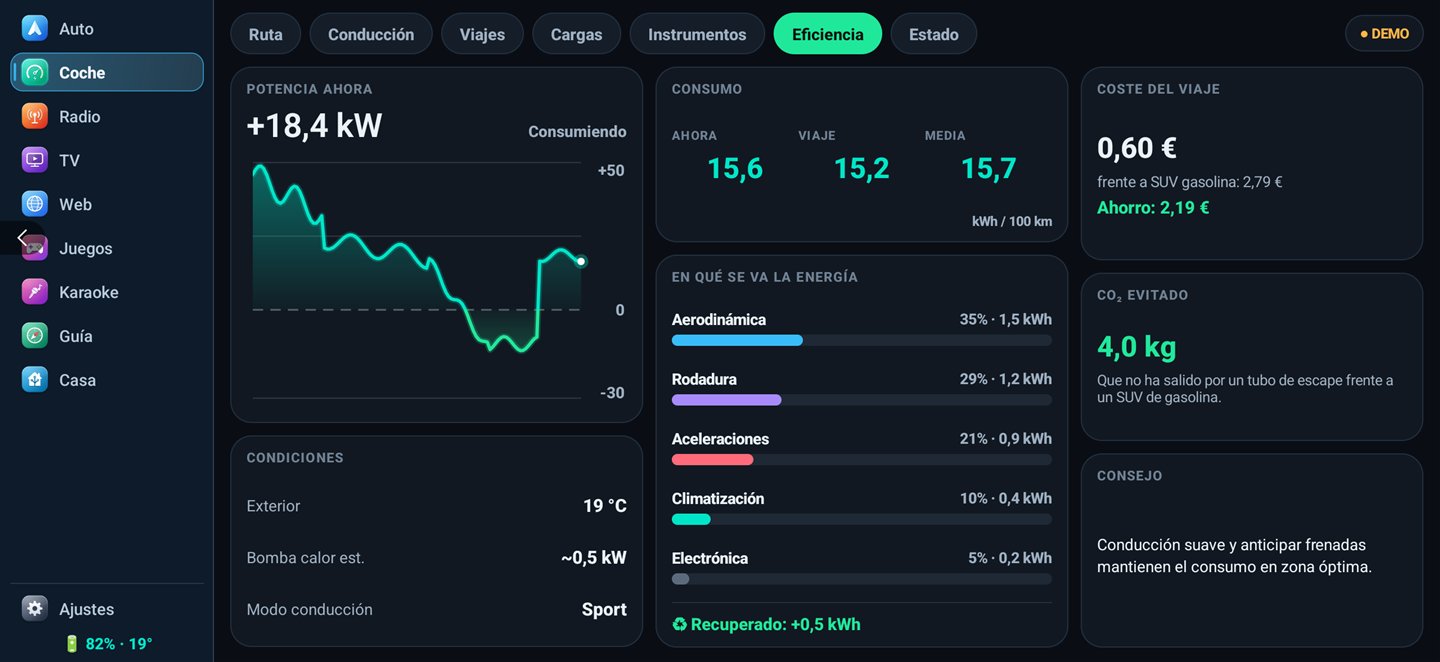
- Instruments & Efficiency: IMU G-force radar, Pitch/Roll, barometric altitude, physical energy breakdown, and CO₂ avoided.
5. Internet Radio, EV Guide (Dynamic Tariffs + Traffic) & Home Assistant
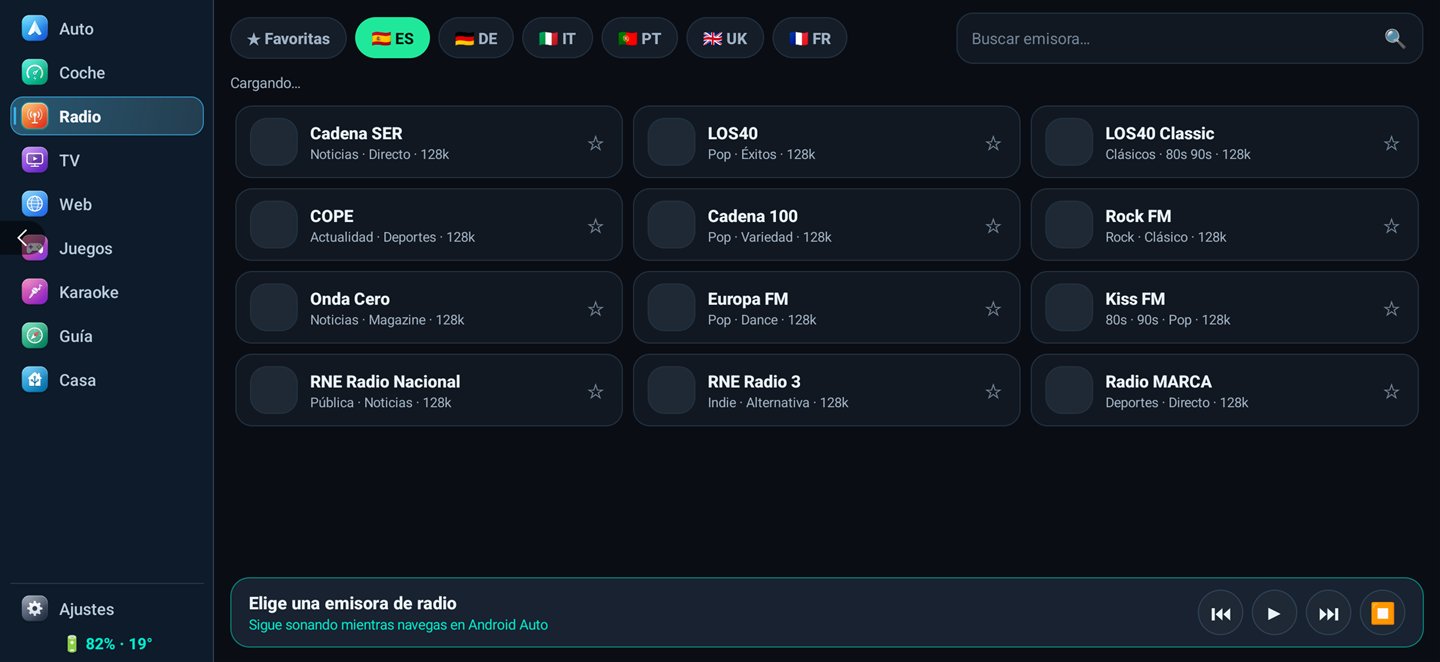
- Internet Radio: multi-country stations (ES/DE/IT/PT/UK/FR) with favorites and background playback over Android Auto.
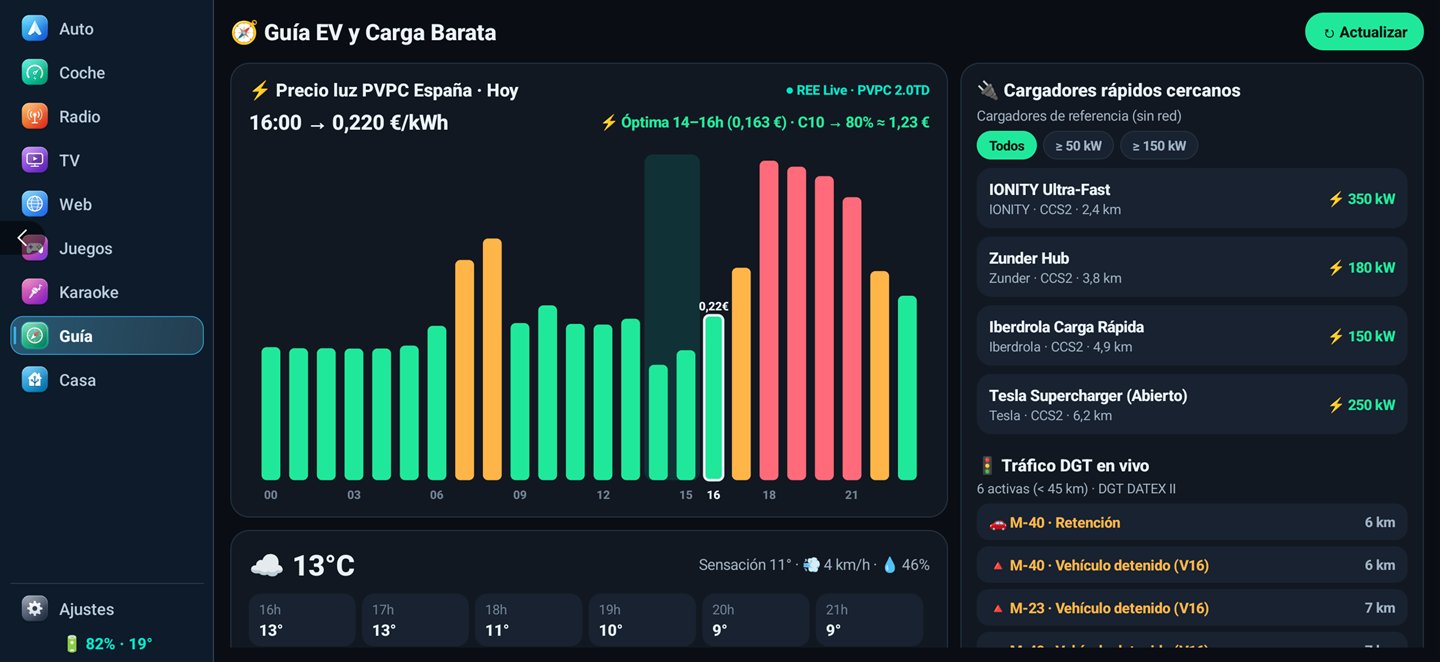
- EV Guide: live hourly electricity tariff chart with optimal 80% charging window, nearby fast chargers, weather, and live traffic.
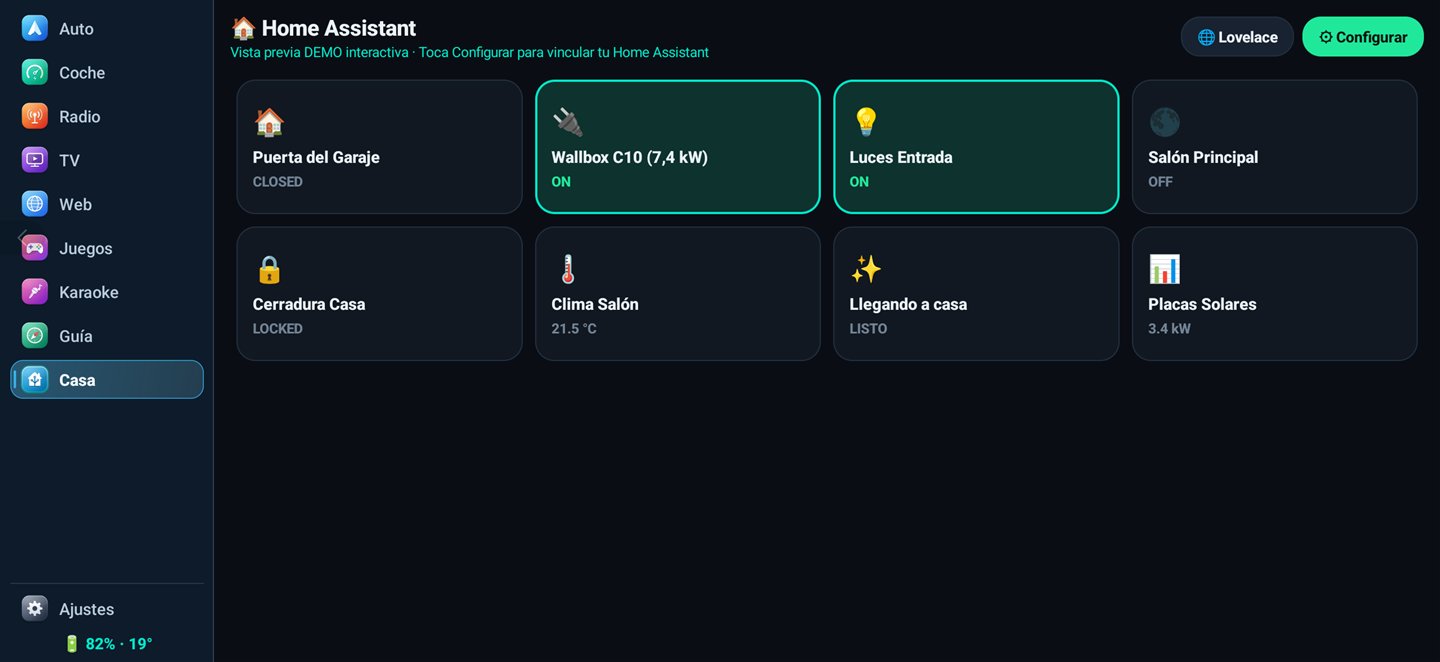
- Home (Home Assistant): automotive touch tiles for garage, wallbox, lights, locks (with confirmation), and scenes synced from Companion.
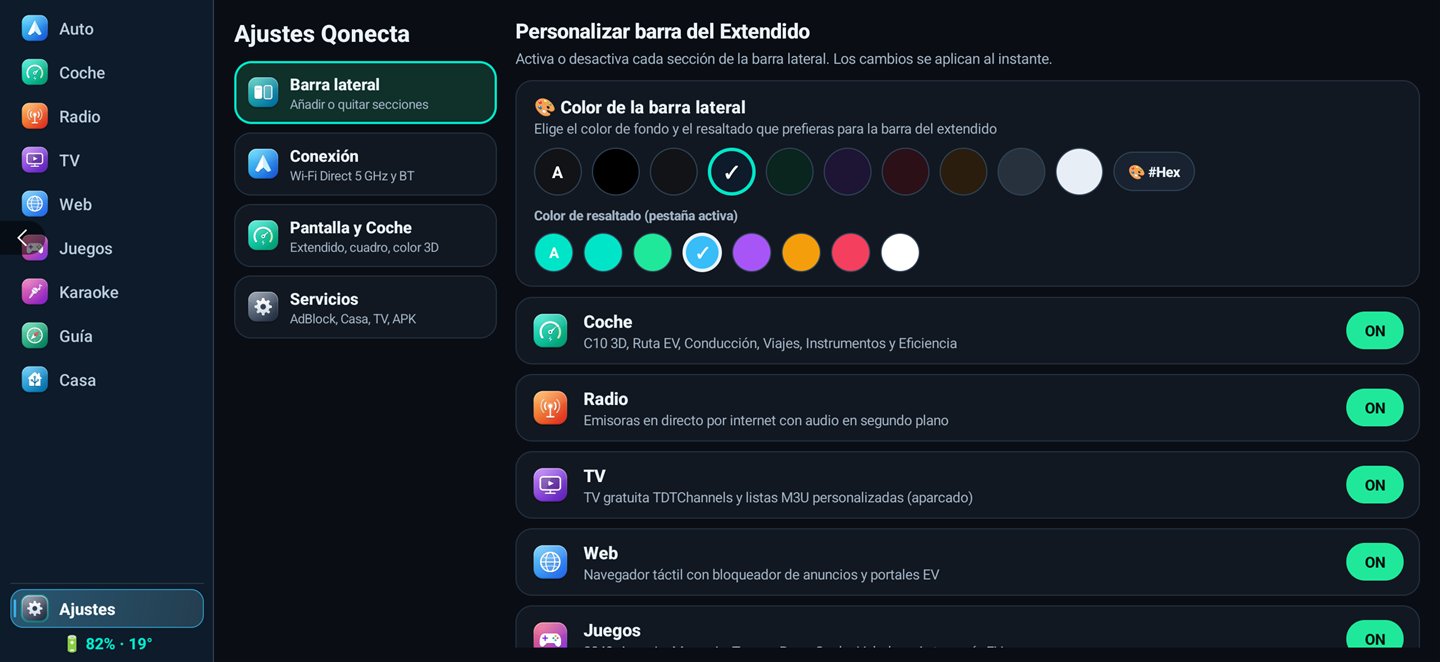
6. Customize Driver Sidebar (Tabs & Custom Color)
- In Qonecta Settings › Sidebar, toggle any section (Car, Radio, TV, Web, Games, Karaoke, Guide, Home), 50/50 button, and auto-hide entertainment while driving.
- Sidebar Color: pick from 10 built-in finishes (Theme, OLED, Obsidian, Night Blue, Jade, Indigo, Burgundy, Amber, Titanium, Silver) or tap «🎨 #Hex» for any custom hex color.
- Highlight Accent: customize the active tab glow and border with automatic contrast adaptation.
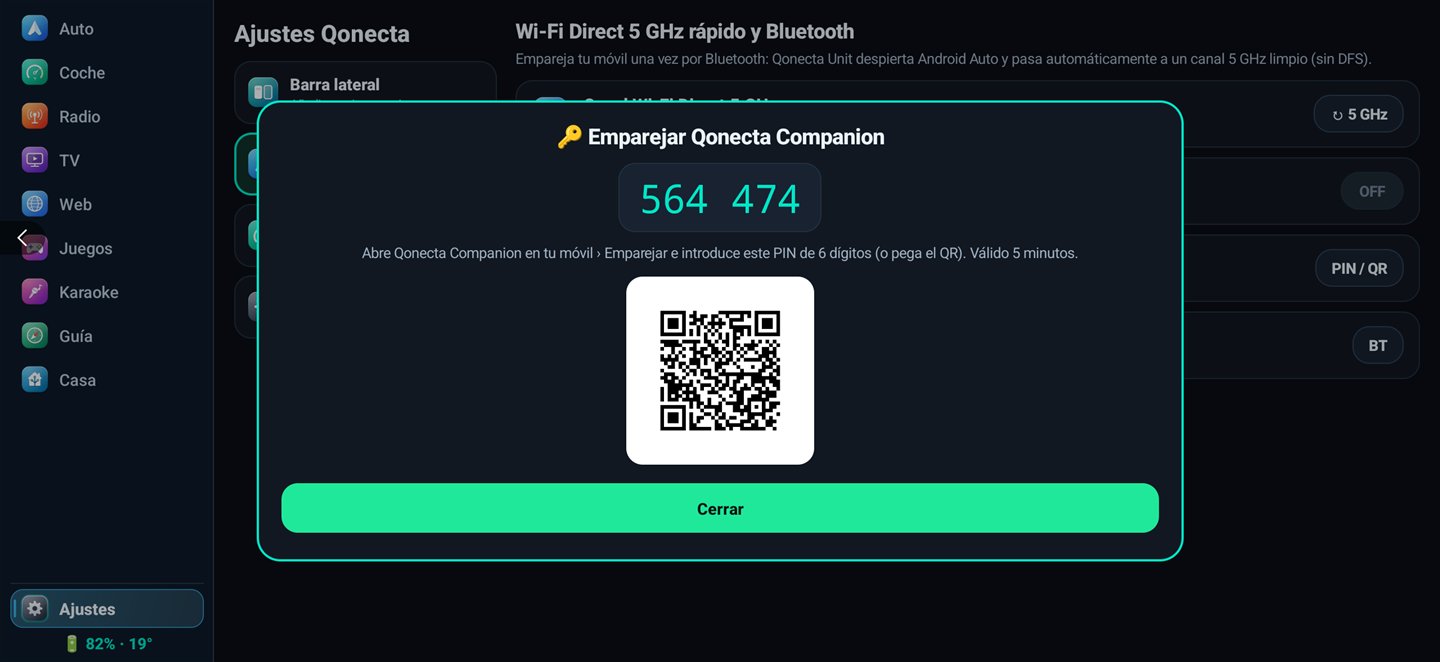
7. Qonecta Companion Bridge · PIN + QR Pairing, Routes, Data & OTA
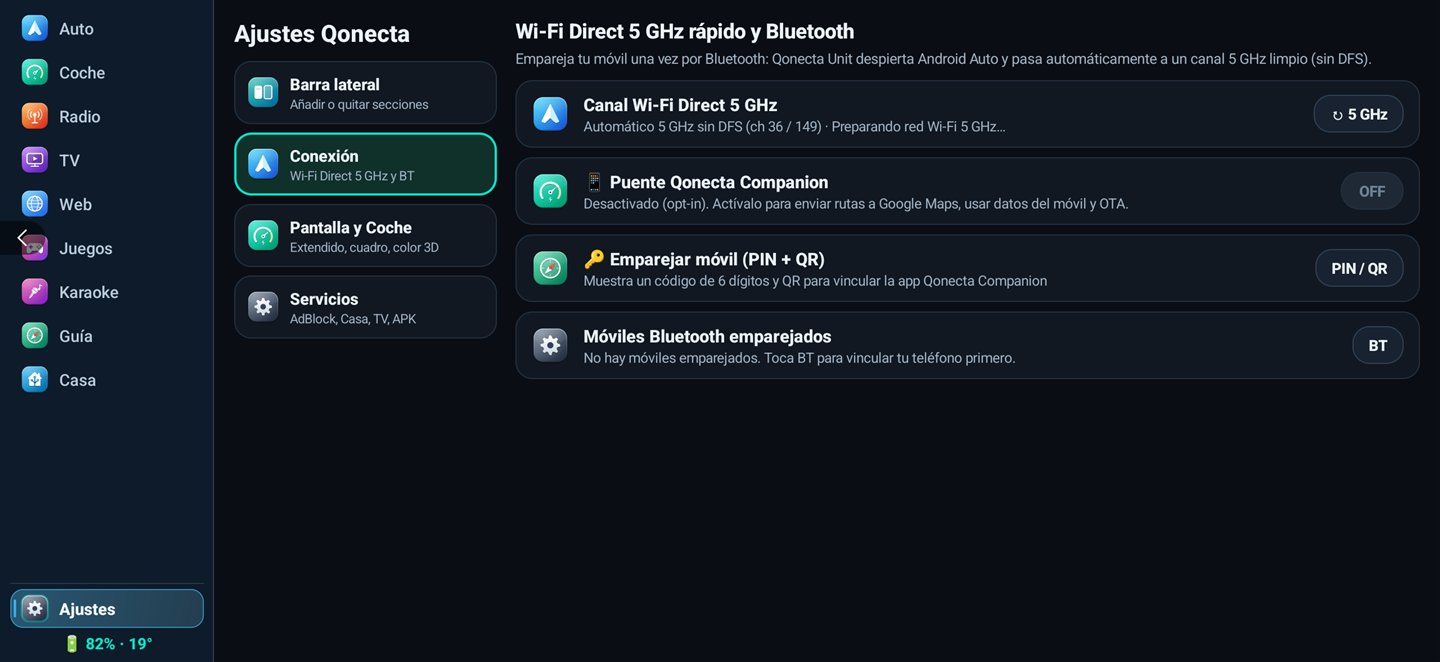
- Enable the opt-in «📱 Qonecta Companion Bridge» switch in Settings › Connection and tap «PIN / QR».
- Enter the 6-digit PIN (or scan/paste the QR) in Qonecta Companion on your Android phone for persistent 5 GHz Wi-Fi Direct (TCP :5299) with automatic Bluetooth fallback.
- Unlocks: sending car routes to Google Maps (AA), sharing mobile destinations to the C10, internet data proxy when the car has no SIM, couch config sync, trip/charge sync, and 1-tap OTA APK updates.
8. Display & Car (Floating EV Overlay) + Services & Sensor Probe
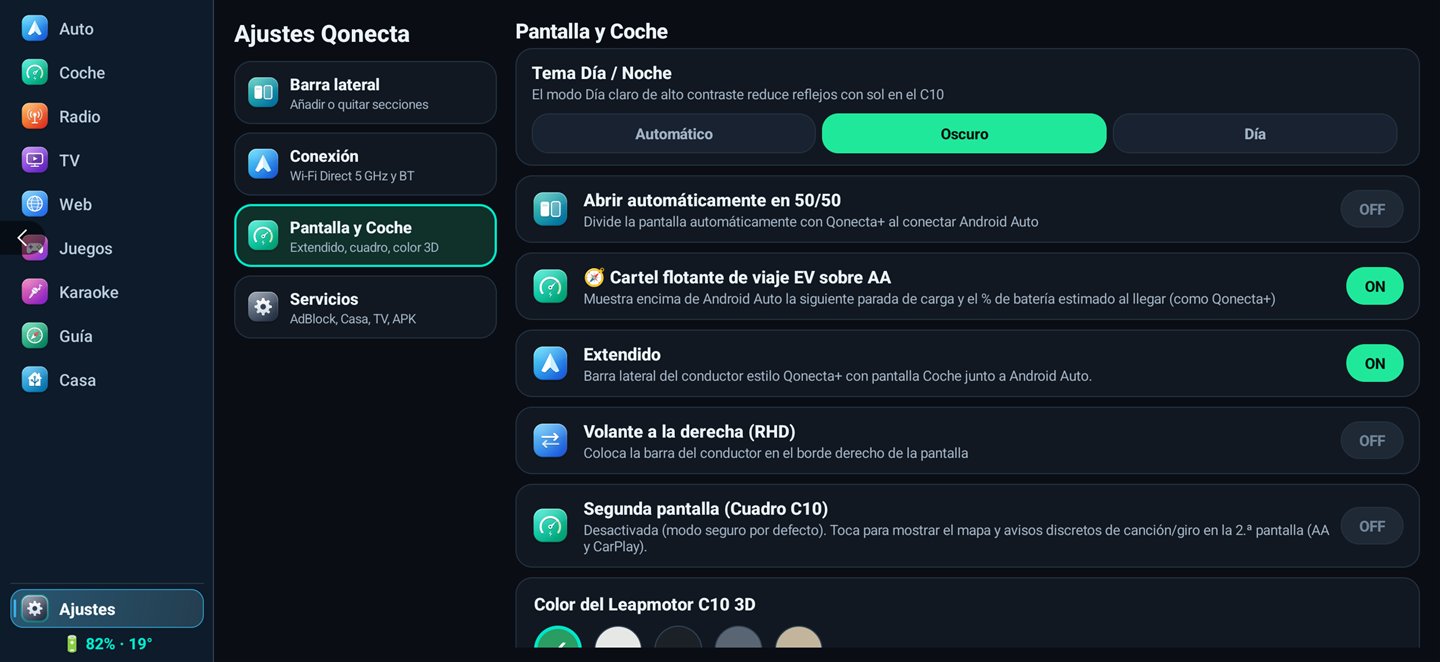
- Display & Car: Auto/Dark/Day theme, auto 50/50 launch, «🧭 Floating EV Trip Pill over AA», Extended mode, RHD, 2nd-screen Cluster, and 3D C10 body color.
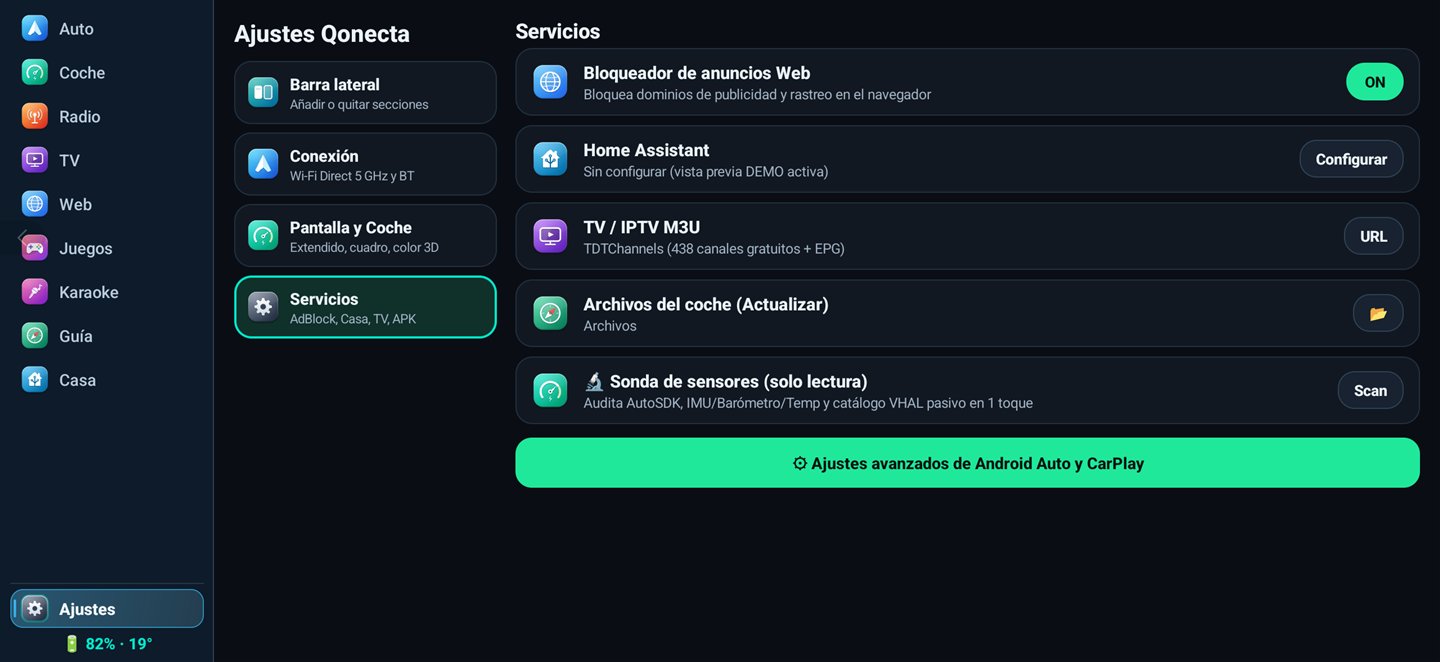
- Services: Web AdBlock, Home Assistant setup, M3U IPTV lists, native Car Files explorer, and 1-tap read-only «🔬 Sensor Probe».
Qonecta (Qonecta Unit CORE, Qonecta Unit+ Extended, Qonecta Companion, and Qonecta+) is an independent, free, open-source, experimental community project. It is NOT affiliated with, sponsored, authorized, or endorsed in any way by Leapmotor, Stellantis, Google, or Apple. This software is provided "AS IS" without warranty of any kind; the author and contributors accept no liability for any damage, malfunction, or warranty impact arising from its installation or use. Every user installs and uses it at their own discretion and sole risk.