Complete Guide — How to Export Logs from All 4 Qonecta Apps
Attaching real logs lets us pinpoint bugs in minutes instead of guessing. Every app automatically redacts passwords, tokens, emails and VINs, and attachments on Qonecta Hub are strictly private (visible only to you and the admin team).
🔍 Tap any screenshot to view fullscreen
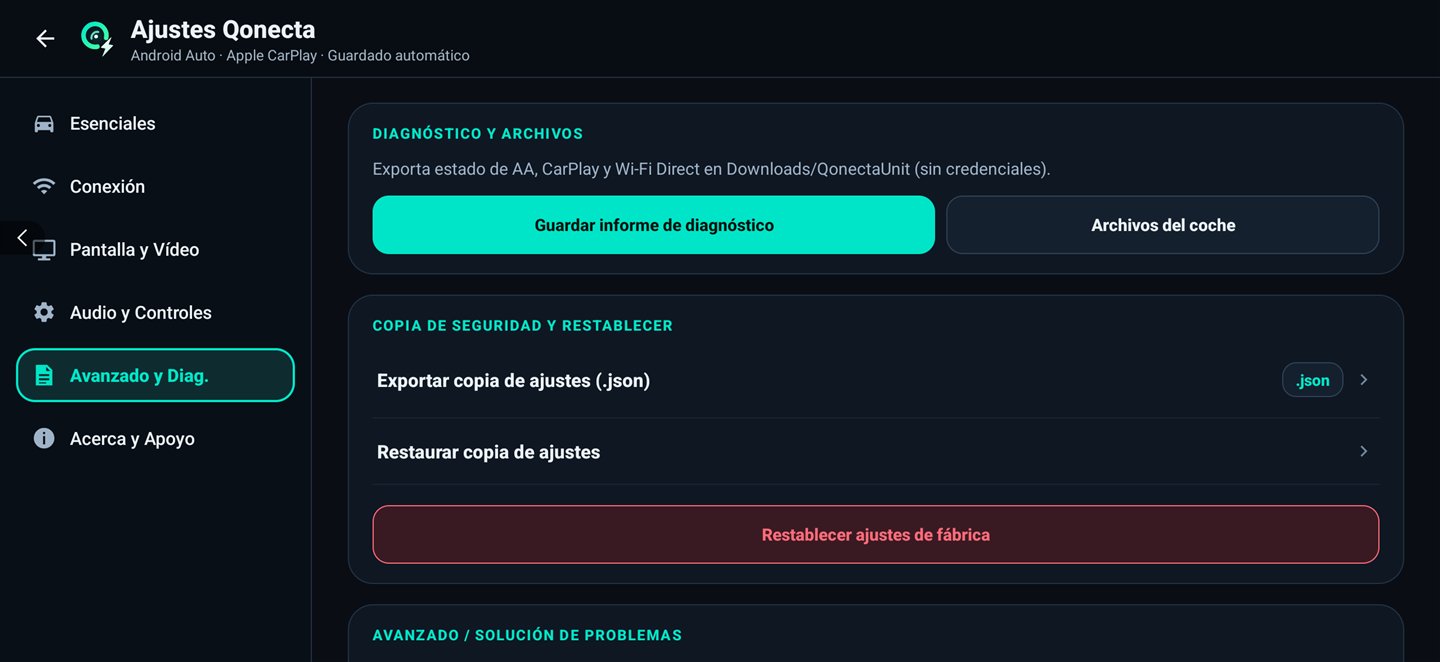
1. Qonecta Unit CORE (Car Screen)
- Open ⚙ Settings (top right) › Advanced & Diag. › tap 'Save diagnostic report'.
- The redacted .txt file is saved to Downloads/QonectaUnit/ on the car.
- Plug a USB-C drive into the car data port, open Car Files and copy the .txt to your USB to attach it on Qonecta Hub.
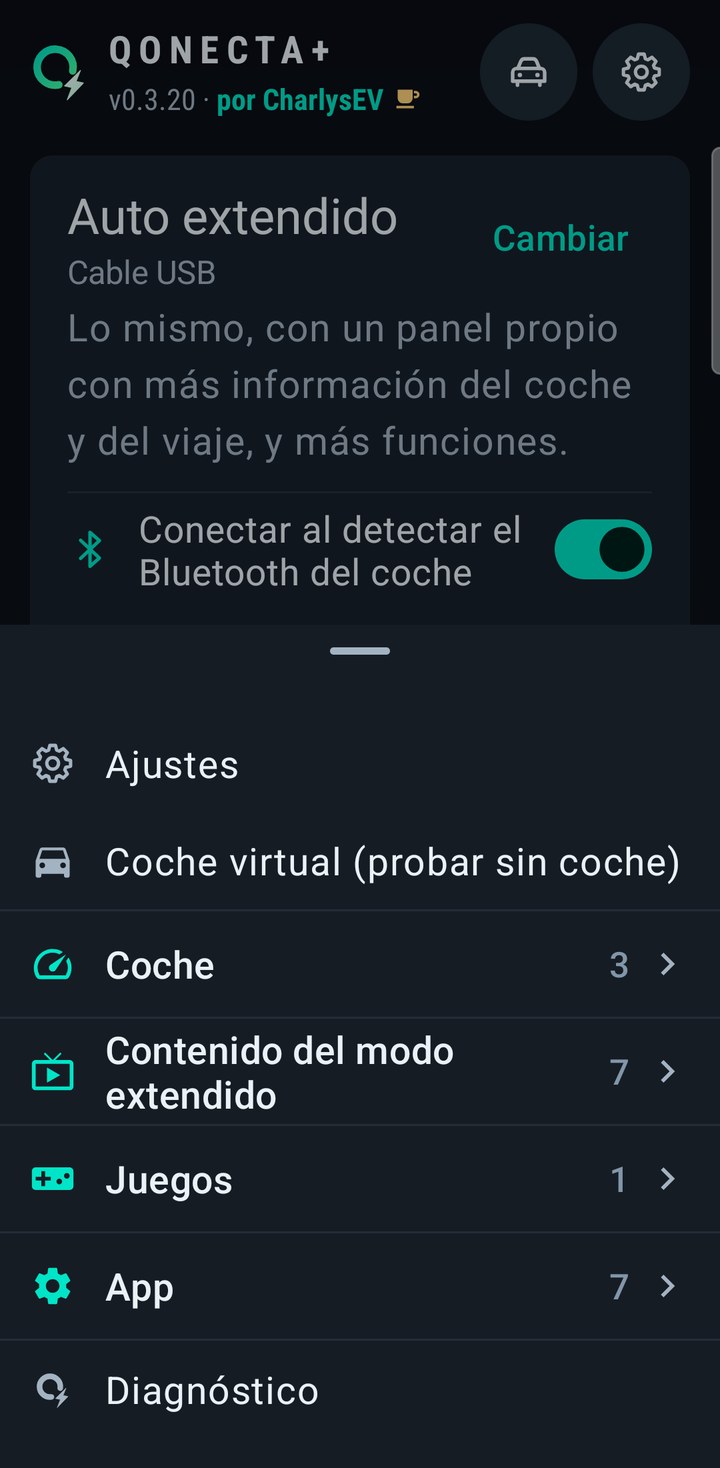
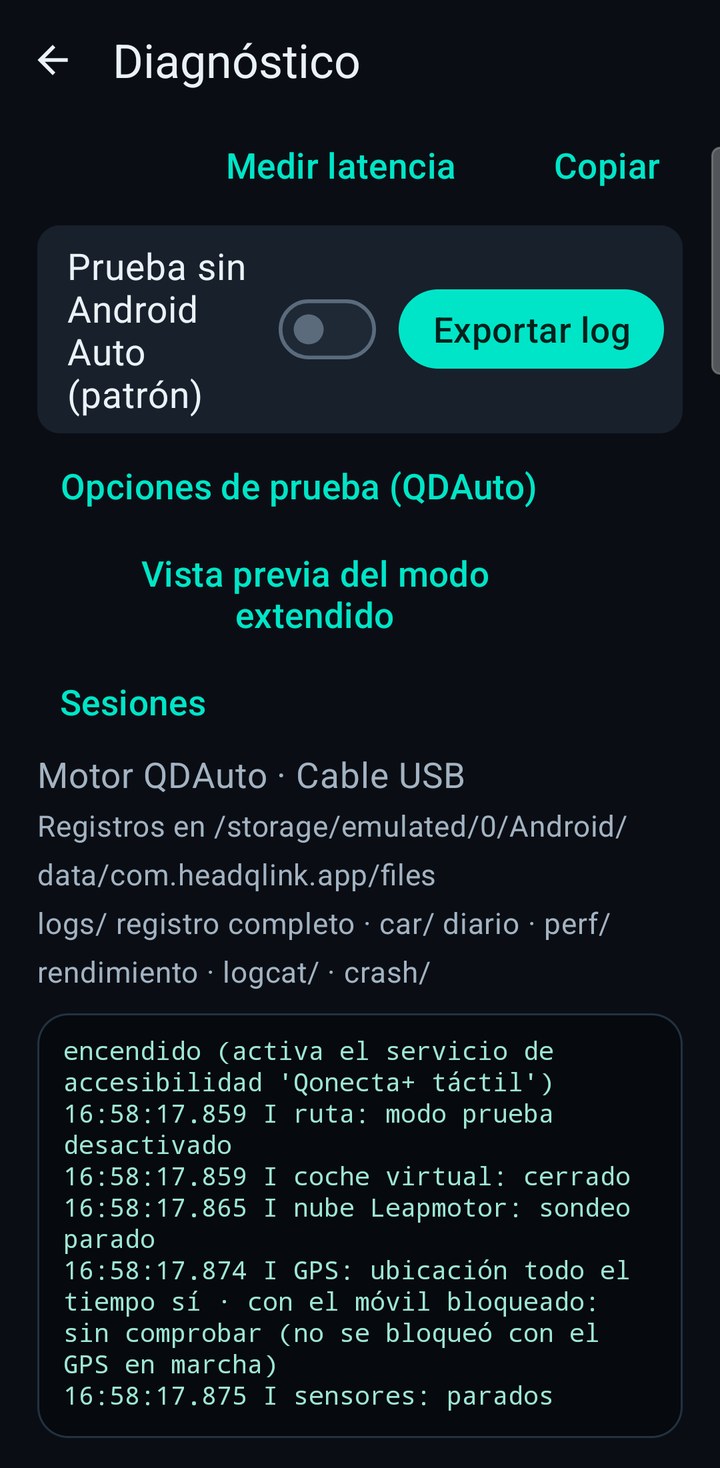
2. Qonecta+ (Android Phone · QDLink)
- Open Qonecta+ › ⚙ Settings › Diagnostics › tap 'Export log' (or 'Copy' / 'Sessions').
- Local path if needed: /Android/data/com.headqlink.app/files/ (logs/, car/, perf/, logcat/, crash/).
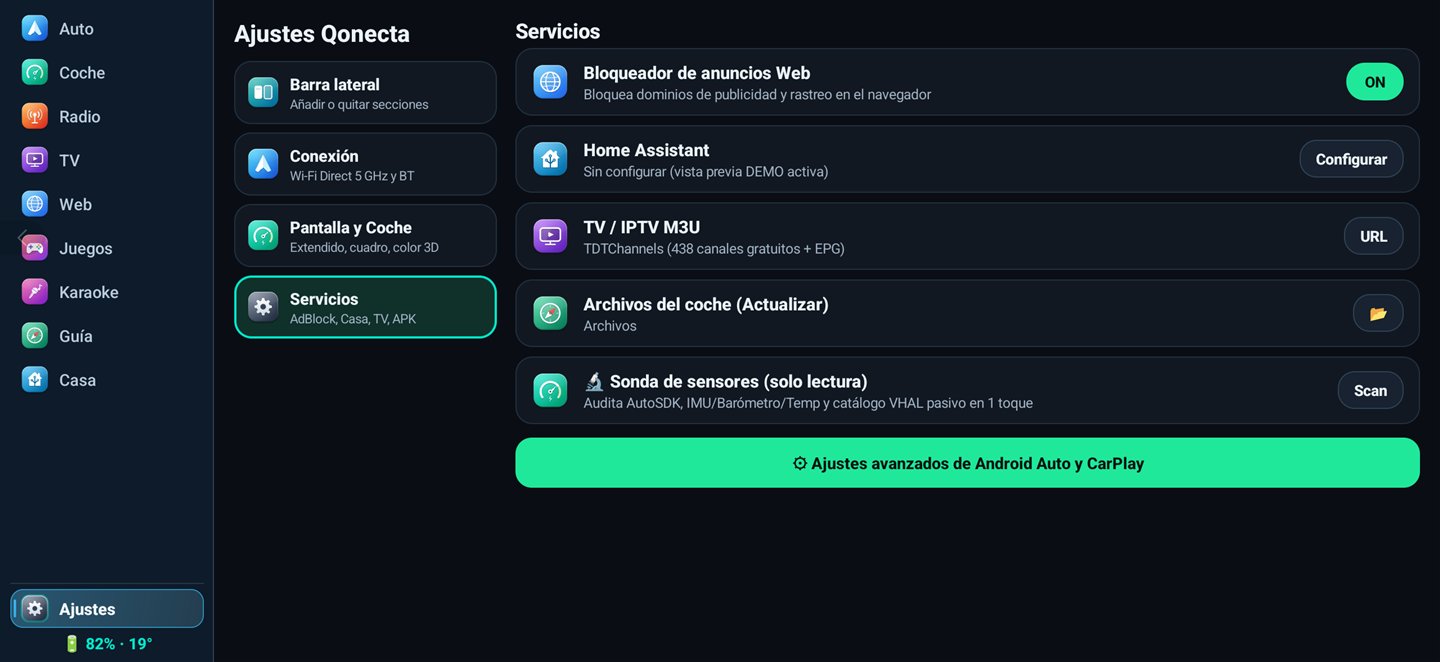
3. Qonecta Unit+ Extended (Car Screen · 2 Methods)
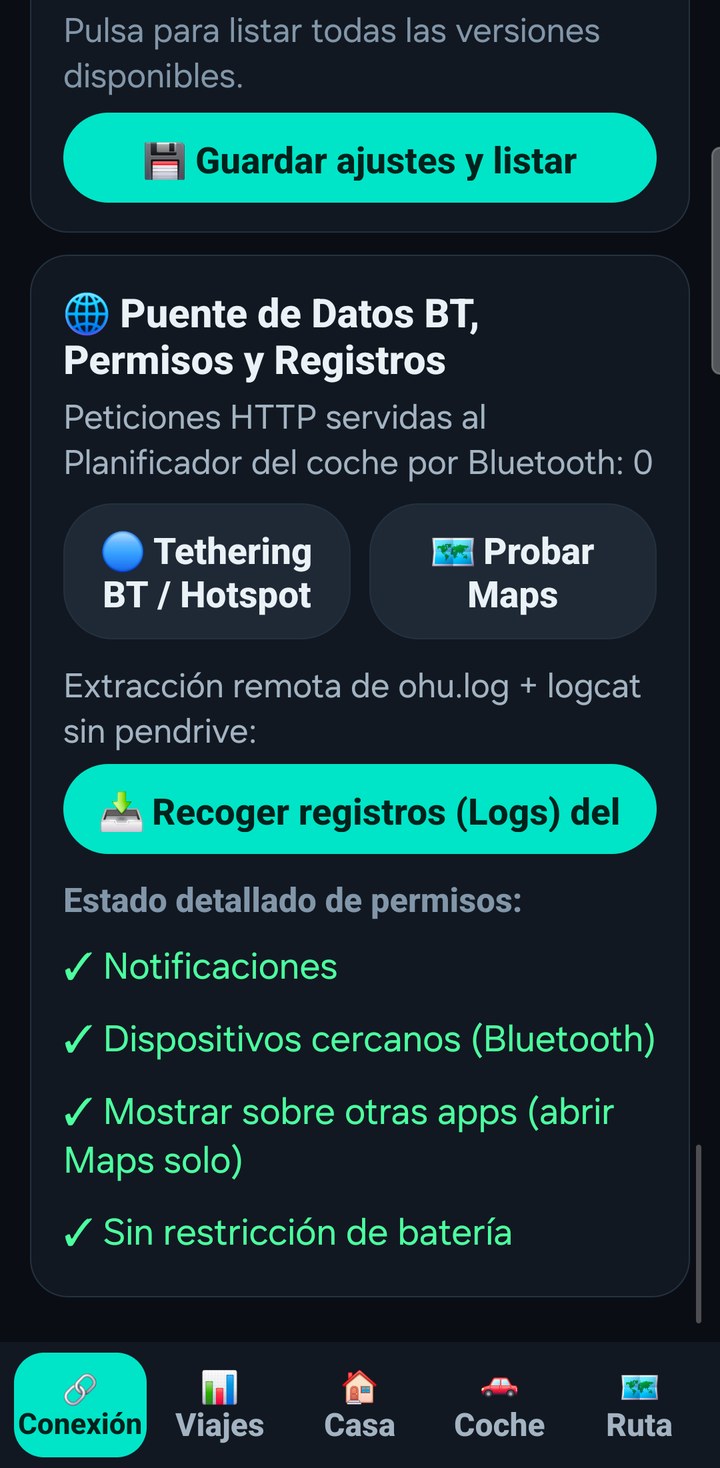
- Method A (No USB — Recommended): open Qonecta Companion › 🔗 Connect › '📋 Diagnostics & Logs' › tap '📥 Fetch car logs (Qonecta Unit)' › '📤 Share logs'.
- Method B (USB on car screen): Qonecta Settings › Services › ⚙ Advanced settings › Advanced & Diag. › 'Save diagnostic report' (saved to Downloads/QonectaUnit/).
4. Qonecta Companion (Phone · Car Logs + Companion Logs)
- Open Qonecta Companion › tap the last tab '🔗 Connect' › scroll to '📋 Diagnostics & Logs'.
- Tap '📥 Fetch car logs (Qonecta Unit)' to pull car logs wirelessly, or '📱 Export Companion log (this phone)' for phone/bridge/cloud issues.
5. Upload Privately on Qonecta Hub
- Sign in to https://qonecta.app › Forum / Issues › '+ New thread / Report issue'.
- Fill in app version, car model, phone model, attach your .txt/.log/.zip file in the private dropzone and submit. Only you and the admin team can download attachments.
Qonecta (Qonecta Unit CORE, Qonecta Unit+ Extended, Qonecta Companion, and Qonecta+) is an independent, free, open-source, experimental community project. It is NOT affiliated with, sponsored, authorized, or endorsed in any way by Leapmotor, Stellantis, Google, or Apple. This software is provided "AS IS" without warranty of any kind; the author and contributors accept no liability for any damage, malfunction, or warranty impact arising from its installation or use. Every user installs and uses it at their own discretion and sole risk.